AI for Schools: A Decision Maker's Guide to Implementation
AI for Schools: A Decision Maker's Guide to Evaluating, Implementing, and Scaling School AI Software
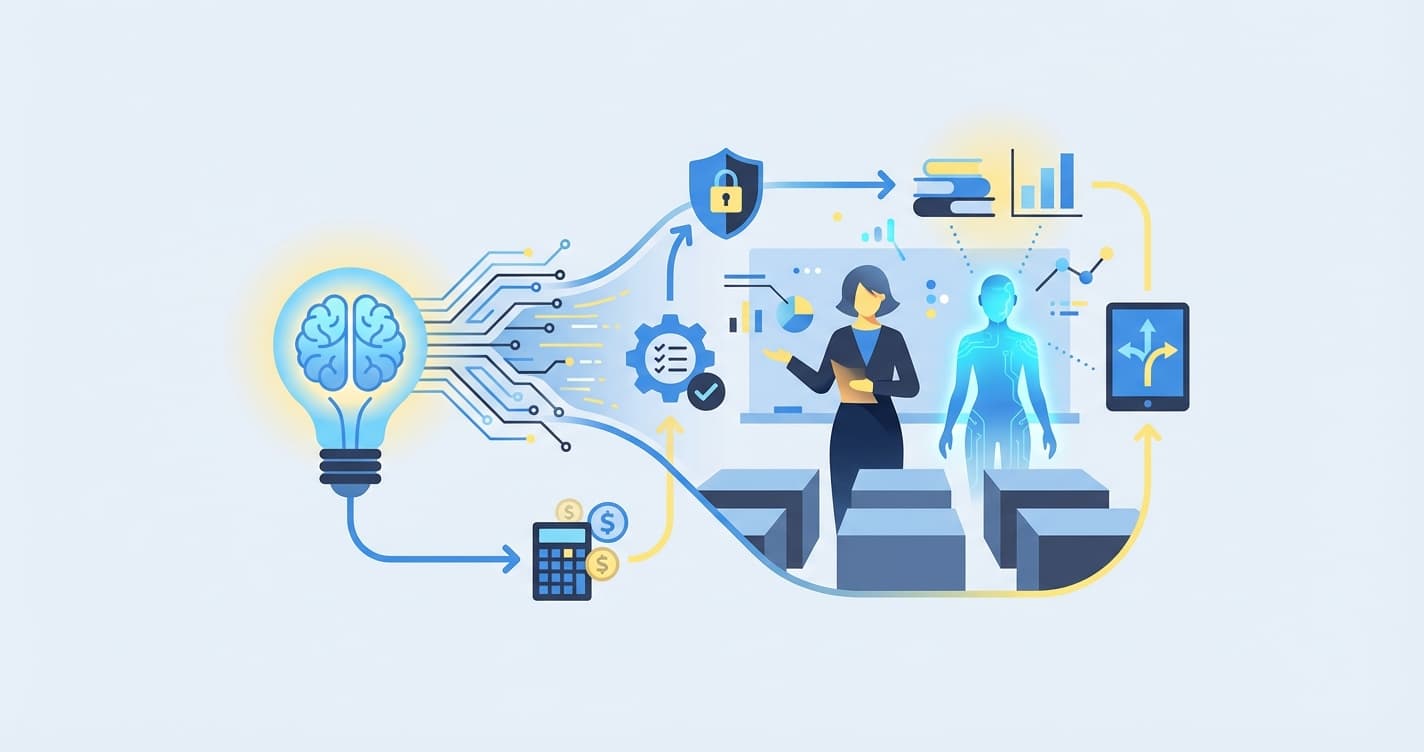
AI for schools refers to any artificial intelligence software deployed within a school or education organization to automate administrative tasks, personalize instruction, assess student work, or enhance safety — with the goal of improving learning outcomes while reducing the operational burden on staff. School AI software is not a single product but a category of tools that spans everything from automated grading platforms and adaptive learning systems to AI-powered attendance tracking and predictive analytics for student intervention.
For schools focused on recurring coursework, an AI assignment checker can turn review into faster feedback.
For school administrators, principals, and education directors, the question is no longer whether to adopt AI. It is which AI tools to prioritize, how to evaluate vendors, how to manage the implementation process, how to ensure data privacy compliance, and how to measure whether the investment is producing results. This guide provides a comprehensive, practical framework for decision-makers navigating these questions in 2026.
Why Schools Need AI in 2026
The case for AI for schools is built on four converging pressures that have intensified over the past three years.
The Teacher Shortage Is Getting Worse, Not Better
The U.S. Bureau of Labor Statistics projects a shortfall of approximately 300,000 teachers by 2030. The National Education Association reports that 55% of teachers are considering leaving the profession sooner than planned, citing workload as the primary reason. Schools cannot hire their way out of this crisis. They must find ways to make each teacher more effective and reduce the non-instructional workload that drives burnout.
AI for schools directly addresses this by automating the tasks that consume the most teacher time: grading, progress reporting, lesson planning assistance, and administrative paperwork. A school that deploys AI grading — such as IntelGrader's platform for handwritten math worksheets — can return 8-15 hours per week per teacher to instruction, mentoring, and professional development.
Personalization at Scale Is No Longer Optional
Parents, students, and policymakers increasingly expect education to be personalized. The era of one-size-fits-all instruction is ending. But personalization is extraordinarily difficult for a single teacher managing 25-35 students with diverse learning needs, knowledge levels, and paces. Without technology, genuine personalization is practically impossible at classroom scale.
School AI software makes personalization feasible. Adaptive learning platforms adjust content difficulty in real time. AI assessment tools identify each student's specific knowledge gaps. Platforms like IntelGrader, which is developing adaptive testing with knowledge graph technology, can map every concept in a curriculum and track each student's mastery, enabling truly individualized learning pathways.
Data-Driven Education Is Now an Accountability Requirement
State and federal accountability frameworks increasingly require schools to demonstrate evidence-based improvement. Data-driven instruction is not just best practice — it is a compliance requirement. AI for schools generates the granular, real-time data that these frameworks demand: student-level performance trends, intervention effectiveness, and outcome measurements that would take weeks to compile manually.
The Technology Is Finally Ready
Previous generations of education technology over-promised and under-delivered. The AI tools available in 2026 are fundamentally different. Advances in large language models, computer vision, and adaptive algorithms have produced school AI software that actually works — reliably, at scale, and with meaningful impact on learning outcomes. The question for schools is no longer "Does this technology work?" but "Which implementation approach will produce the best results in our context?"
School AI Readiness Assessment
Before evaluating specific tools, schools should assess their readiness across five dimensions. This assessment prevents the common mistake of purchasing technology before the organization is prepared to use it effectively.
1. Infrastructure Readiness
- Internet bandwidth: AI tools require reliable, high-speed internet. Assess whether your current bandwidth supports the additional load. Most school AI software requires a minimum of 25 Mbps per classroom during peak usage.
- Device availability: What is your student-to-device ratio? Many AI tools require at least 1:2, with 1:1 being ideal.
- Wi-Fi coverage: Is coverage consistent across all instructional spaces, including portable classrooms, gymnasiums, and outdoor areas used for instruction?
- IT support capacity: Who will manage the technology? Do you have in-house IT staff or will you rely on vendor support?
2. Data Readiness
- Student information system (SIS): Is your SIS current, accurate, and capable of integrating with third-party tools via API?
- Historical data: Do you have baseline assessment data that can be used to measure the impact of AI implementation?
- Data governance policies: Are your data governance, privacy, and security policies current and comprehensive enough to cover AI tools?
3. Staff Readiness
- Technology proficiency: What is the baseline technology comfort level of your teaching staff? Survey them honestly.
- Change appetite: Have previous technology implementations been well-received? Is there enthusiasm, indifference, or resistance?
- Professional development capacity: Can you allocate time and budget for AI-related training?
4. Leadership Readiness
- Executive sponsorship: Is there a senior leader (principal, superintendent, director) who will champion the AI initiative?
- Clear goals: Can you articulate specific, measurable goals for AI implementation? "Improve education" is not a goal. "Reduce grading time by 60% within 6 months" is a goal.
- Budget authority: Is there approved budget for AI tools, or does the initiative require a new funding request?
5. Cultural Readiness
- Parent and community expectations: How will parents react to AI in their children's school? Is proactive communication needed?
- Student attitudes: Are students comfortable with technology-mediated learning?
- Union and labor considerations: If your staff is unionized, are there contractual implications for AI deployment?
Score each dimension on a 1-5 scale. A total score of 15+ suggests the school is ready for a full pilot. A score of 10-14 suggests targeted preparation is needed before deployment. Below 10 indicates that infrastructure and cultural groundwork should be the first priority.
Four Categories of School AI Software
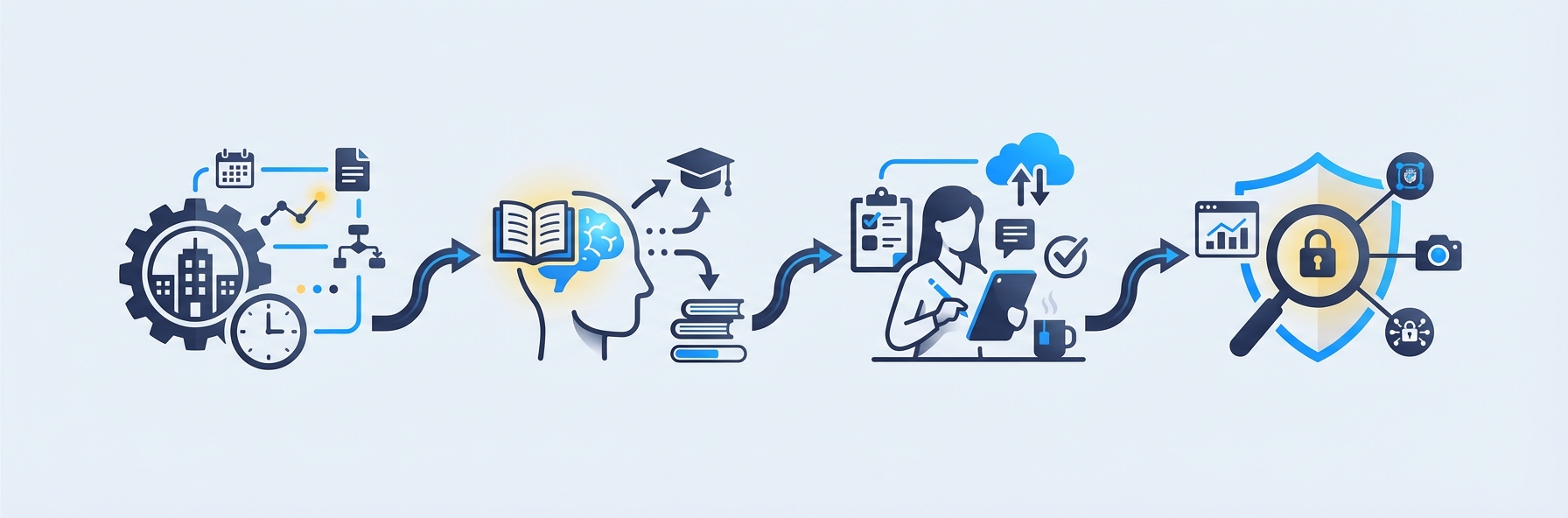
The school AI software landscape can be organized into four categories. Understanding these categories helps decision-makers identify which tools address their most pressing needs.
Category 1: Administrative AI
Administrative AI automates the back-office operations of running a school. These tools reduce the clerical burden on teachers and administrators, freeing time for higher-value work.
Subcategories include:
- Scheduling and timetabling: AI that generates optimal class schedules, room assignments, and teacher allocations considering constraints like teacher availability, room capacity, and curriculum requirements.
- Enrollment and admissions processing: AI that manages applications, automates communications, and predicts enrollment patterns.
- Budget and resource optimization: AI that analyzes spending patterns and recommends resource allocation adjustments.
- Communication automation: AI-powered systems that generate and distribute routine communications to parents, staff, and students.
- HR and recruitment: AI tools that screen applications, schedule interviews, and predict candidate fit.
Impact assessment: Administrative AI typically saves 5-10 hours per week of administrator time and reduces scheduling errors by 30-50%.
Category 2: Teaching and Instruction AI
Teaching AI assists educators in planning, delivering, and differentiating instruction. These tools augment the teacher rather than replacing them.
Subcategories include:
- Lesson planning assistants: AI that generates lesson plans, activities, and resources aligned to standards and differentiated for student levels.
- Adaptive learning platforms: Software that adjusts content difficulty, sequence, and format based on each student's performance in real time.
- AI tutoring chatbots: Conversational AI that provides on-demand help to students, answering questions and offering explanations. IntelGrader is developing an AI chatbot designed specifically for math students, one that understands each student's history and provides contextually relevant support rather than generic answers.
- Content generation tools: AI that creates worksheets, practice problems, reading passages, and quiz questions aligned to specific learning objectives.
- Translation and accessibility: AI-powered real-time translation for ELL students and accessibility tools for students with disabilities.
Impact assessment: Teaching AI can reduce lesson planning time by 30-50% and improve student outcomes by enabling genuine differentiation that would be impossible for a single teacher to provide manually.
Category 3: Assessment AI
Assessment AI automates the evaluation of student work and transforms assessment data into actionable insights. This category typically delivers the fastest and most measurable ROI for schools adopting AI for the first time.
Subcategories include:
- Automated grading: AI that scores student work — including handwritten responses — instantly and consistently. IntelGrader specializes in this area, using OCR and machine learning to grade handwritten math worksheets with detailed feedback on each question. Learn how smart grading works.
- Formative assessment tools: AI that generates real-time checks for understanding during instruction, adapting questions based on student responses.
- Adaptive testing: AI that generates personalized assessments calibrated to each student's level, providing more accurate measurement of knowledge while reducing testing time. IntelGrader's upcoming adaptive testing feature uses knowledge graph technology to map conceptual dependencies and ask the most informative questions for each individual student.
- Essay and writing feedback: AI that provides instant feedback on student writing, including grammar, structure, argumentation, and evidence use.
- Progress analytics and reporting: AI that aggregates assessment data into dashboards, trend reports, and predictive models that identify at-risk students.
Impact assessment: Assessment AI reduces grading time by 70-90%, provides instant feedback (a key driver of learning outcomes per Hattie's research), and generates data that enables proactive intervention before students fall behind.
Category 4: Safety and Operations AI
Safety AI uses artificial intelligence to create safer school environments and more efficient operations.
Subcategories include:
- Threat detection: AI that monitors communications and digital activity for indicators of self-harm, bullying, or violence. Tools like Gaggle and Bark screen school-managed accounts and devices.
- Access control: AI-enhanced physical security systems including facial recognition for campus access, visitor management, and perimeter monitoring.
- Mental health screening: AI tools that identify students showing behavioral patterns associated with mental health challenges, enabling earlier counselor intervention.
- Facilities management: AI that optimizes energy use, predicts maintenance needs, and manages space utilization.
Impact assessment: Safety AI is difficult to quantify in terms of ROI but essential in terms of risk mitigation. Early intervention systems that identify at-risk students have been shown to reduce behavioral incidents by 20-40%.
Vendor Evaluation Framework: 12 Criteria for Choosing School AI Software
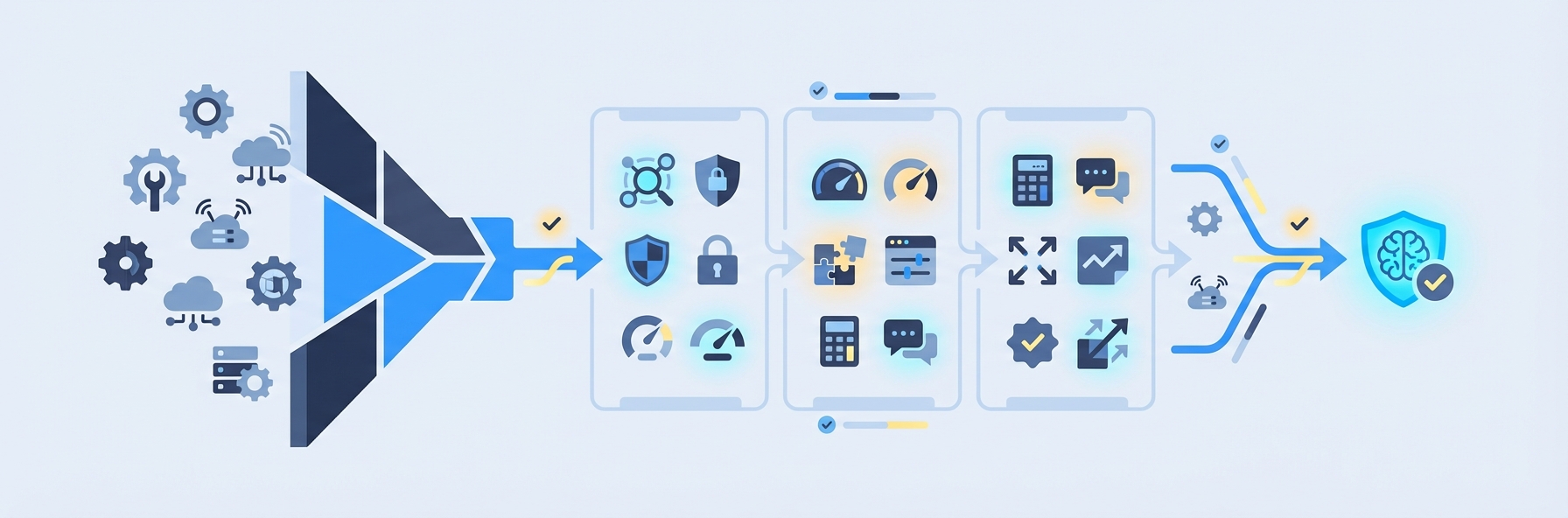
With hundreds of school AI software vendors competing for attention, a structured evaluation framework prevents costly mistakes. Use these twelve criteria to assess any vendor.
1. Educational Efficacy Evidence
Does the vendor have published evidence — peer-reviewed studies, third-party evaluations, or at minimum detailed case studies with measurable outcomes — showing that their tool improves learning? Beware vendors who can only cite engagement metrics (time on platform, clicks) rather than learning outcomes (assessment score improvements, skill mastery rates).
2. Integration Capabilities
Does the tool integrate with your existing SIS, LMS, and assessment platforms via standard APIs (LTI, OneRoster, SIF)? School AI software that exists in a silo, requiring manual data transfer, will never deliver its full value.
3. Data Privacy and Compliance
Is the vendor compliant with FERPA, COPPA, and (if applicable) GDPR? Do they have a signed Student Data Privacy Agreement? What data do they collect, where is it stored, how is it encrypted, and what happens to the data if you terminate the contract? These are non-negotiable requirements, not nice-to-haves.
4. Implementation Support
What does the vendor provide for onboarding? Effective school AI software vendors offer structured implementation support including data migration, system configuration, staff training, and a dedicated customer success manager — not just a self-service knowledge base.
5. Teacher Experience and Workflow Fit
Is the tool intuitive for teachers to use daily? The best school AI software fits into existing workflows rather than requiring teachers to adopt entirely new processes. Ask for a trial period and have your least tech-savvy teacher evaluate the tool. If they cannot use it independently after 30 minutes of training, the tool will not achieve adoption at scale.
6. Student Experience
Is the student-facing experience age-appropriate, engaging, and accessible? Does it meet WCAG 2.1 AA accessibility standards? Does it support multiple languages if your student population requires it?
7. Scalability
Can the tool scale from a pilot (one classroom, one grade level) to full deployment (every classroom, every grade) without requiring a different product tier, significant reconfiguration, or disproportionate cost increase?
8. Total Cost of Ownership
What is the full cost including licensing, implementation, training, ongoing support, hardware requirements, and staff time for administration? Vendors who quote only per-student licensing without disclosing implementation and training costs are being disingenuous.
9. Track Record and Stability
How long has the vendor been in operation? How many schools currently use the product? What is their customer retention rate? Is the company financially stable? Schools cannot afford to build their technology stack on tools that may not exist in two years.
10. Customization and Configuration
Can the tool be configured to match your school's specific curricula, grading policies, and reporting requirements? AI for schools is not one-size-fits-all, and the tools that perform best are those that can be tailored to each school's context.
11. Ongoing Innovation
What is the vendor's product roadmap? Are they actively developing new features based on educational research and customer feedback? Stagnant products become liabilities as the AI landscape evolves rapidly.
12. Exit Strategy
What happens if you decide to leave the vendor? Can you export all your data in standard formats? Is there a lock-in period? Schools should never adopt a tool they cannot walk away from.
Implementation Roadmap: From Pilot to Scale

The difference between schools that succeed with AI and those that abandon it within a year is almost always the implementation process, not the technology itself. Follow this proven roadmap.
Phase 1: Discovery and Selection (Months 1-2)
- Complete the readiness assessment described above.
- Identify your top 2-3 priority use cases based on pain points and potential impact.
- Research and shortlist 3-5 vendors per use case.
- Request demos, trials, and references from each.
- Apply the 12-point evaluation framework.
- Select your pilot tools and negotiate contracts.
Phase 2: Pilot (Months 3-5)
- Deploy the selected tools with a small, well-defined pilot group: 1-3 classrooms, a single grade level, or a specific subject area.
- Choose pilot teachers who are moderately (not extremely) tech-savvy. If only tech enthusiasts can use the tool, it will not scale.
- Collect baseline data before the pilot begins: current grading time, current assessment scores, current teacher satisfaction metrics.
- Provide intensive support during the pilot: weekly check-ins, rapid issue resolution, and a direct line to the vendor's support team.
- Run the pilot for a full grading period (semester or trimester) to get meaningful outcome data.
Phase 3: Evaluate (Month 6)
- Compare pilot outcomes to baseline data across all key metrics: time savings, learning outcomes, teacher satisfaction, student engagement, and parent feedback.
- Conduct structured interviews with pilot teachers, students, and parents.
- Identify what worked, what did not, and what needs to change before scaling.
- Make a go/no-go decision on scaling based on evidence, not enthusiasm.
Phase 4: Prepare for Scale (Months 7-8)
- Address all issues identified during the pilot.
- Develop comprehensive training materials and a training schedule for all staff.
- Establish internal "AI champions" — teachers who participated in the pilot and can mentor their colleagues.
- Update policies, procedures, and parent communications to reflect the expanded technology use.
- Negotiate volume pricing with vendors for full deployment.
Phase 5: Scale (Months 9-12)
- Roll out in waves: one grade level or department per month, not all at once.
- Maintain intensive support during each wave's first month.
- Monitor adoption metrics: Are teachers using the tools daily? Are students engaging? Are the expected outcomes materializing?
- Course-correct quickly when issues arise.
Phase 6: Optimize and Expand (Ongoing)
- Continuously review outcome data and adjust implementation.
- Expand to additional use cases as the organization matures.
- Share results with parents, the school board, and the community to build support for continued investment.
- Stay current with new AI developments and evaluate emerging tools annually.
Budget Planning for School AI Software
Tier 1: Foundation ($5,000-15,000 annually)
Focuses on the single highest-impact use case — typically AI-powered assessment.
- AI grading platform (e.g., IntelGrader): $2,000-8,000/year depending on student volume
- Basic adaptive learning tool: $1,000-4,000/year
- Professional development: $1,000-3,000
- Hardware upgrades (if needed): $1,000-3,000
Best for: Small schools, after-school programs, and tutoring centers. Delivers immediate time savings and sets the foundation for data-driven instruction.
Tier 2: Comprehensive ($15,000-50,000 annually)
Covers multiple use cases across assessment, instruction, and administration.
- AI grading and assessment suite: $5,000-15,000/year
- Adaptive learning platform: $5,000-15,000/year
- Administrative AI (scheduling, communications): $3,000-8,000/year
- Professional development and training: $3,000-8,000/year
- Device and infrastructure upgrades: $5,000-15,000 (one-time)
Best for: Medium-sized schools and multi-location tutoring centers seeking comprehensive AI integration.
Tier 3: Transformational ($50,000-150,000+ annually)
Full AI integration across every school function.
- Enterprise AI platform suite: $20,000-60,000/year
- 1:1 student devices: $15,000-40,000 (one-time, refreshed every 3-4 years)
- Safety and operations AI: $5,000-15,000/year
- Full-time technology coordinator: $40,000-70,000/year
- Ongoing professional development: $5,000-15,000/year
- VR/simulation tools: $5,000-20,000/year
Best for: Large schools, school districts, and premium education providers committed to technology-first differentiation.
Funding Sources
Schools should explore multiple funding sources for AI investments:
- Title IV, Part A (ESSA): Provides federal funding for well-rounded education, safe schools, and effective use of technology.
- E-Rate: The FCC's program subsidizing internet access and networking infrastructure for schools.
- State technology grants: Most states offer competitive grants for education technology innovation.
- Foundation and corporate grants: Organizations like the Gates Foundation, Google.org, and the Chan Zuckerberg Initiative fund education technology initiatives.
- PTA/PTO funding: For smaller, classroom-level investments.
- Vendor payment plans: Many school AI software vendors offer monthly payment options that spread costs across the school year.
Change Management: Getting Buy-In From Staff, Parents, and Students
Technology implementation fails more often from poor change management than from poor technology. Here is how to build and maintain support.
Communicating With Teachers
Teachers are the most important stakeholder group because they determine whether AI tools are used daily or gather dust. Effective communication with teachers follows three principles:
Lead with the problem, not the technology. Start by acknowledging the real pain points: excessive grading time, difficulty differentiating for 30 students, inadequate data for intervention decisions. Position AI as the solution to these specific problems — not as a trendy initiative.
Address the replacement fear directly. Teachers fear that AI will replace them. Address this explicitly and honestly: AI for schools replaces the most tedious parts of the job (grading, administrative reporting, data compilation) so that teachers can spend more time on the irreplaceable parts (mentoring, inspiring, explaining, building relationships). Show them that the goal is to make their professional lives better, not to eliminate their positions.
Provide input and control. Involve teachers in the vendor selection process. Let them participate in the pilot. Solicit and act on their feedback. Teachers who feel they have agency in the process are far more likely to adopt the tools than those who feel technology is being imposed on them.
Communicating With Parents
Parents want to know three things about AI for schools: Is it safe for my child? Will it improve my child's education? Is my child's data protected?
Address all three proactively:
- Safety: Explain exactly what the AI does and does not do. If it grades worksheets, show them an example of the input and output. Demystify the technology.
- Effectiveness: Share the research and, once available, your pilot results. Parents respond to data showing improved learning outcomes.
- Privacy: Explain your data governance policies in plain language. Describe what data is collected, how it is protected, and what rights parents have. Provide opt-out options where legally required or practically advisable.
Managing Resistance
Resistance is normal and should be expected. The most effective approach is to focus on early wins. Deploy AI in the area where it delivers the most immediate, visible benefit — typically grading. When teachers see their grading time drop from 15 hours per week to 2 hours, when students see instant feedback on their worksheets, and when parents see detailed progress reports for the first time, resistance evaporates. Each success builds momentum for the next deployment.
Data Privacy Compliance: FERPA, COPPA, and GDPR
Data privacy is the non-negotiable foundation of any AI for schools initiative. A single compliance failure can destroy community trust and expose the school to significant legal liability.
FERPA (Family Educational Rights and Privacy Act)
FERPA governs how schools handle student education records. Key requirements for school AI software:
- Vendor as school official: Under the "school official" exception, schools can share student data with vendors who perform institutional services, provided the vendor is under the school's direct control regarding data use. This requires a written agreement specifying the vendor's obligations.
- Legitimate educational interest: Data shared with AI vendors must serve a legitimate educational purpose directly related to the vendor's service.
- No re-disclosure: The vendor cannot share student data with third parties without parental consent.
- Parental rights: Parents have the right to inspect their child's education records, including any data held by AI vendors.
COPPA (Children's Online Privacy Protection Act)
COPPA applies to children under 13 and requires verifiable parental consent before collecting personal information. For school AI software:
- Schools can consent on behalf of parents for school-authorized educational purposes, but only if the data is used solely for those purposes.
- The AI vendor must have a clear privacy policy describing its data practices.
- Data collection must be limited to what is necessary for the educational purpose.
GDPR (General Data Protection Regulation)
For international schools or schools serving EU residents, GDPR adds additional requirements:
- Lawful basis for processing: Schools must identify a lawful basis (typically legitimate interest or consent) for each type of AI data processing.
- Data Protection Impact Assessment (DPIA): Required for AI tools that process student data at scale.
- Right to explanation: Students and parents have the right to understand how AI decisions that affect them are made.
- Data minimization: Only the minimum necessary data should be collected and processed.
Practical Compliance Checklist
Before deploying any school AI software:
- Vendor has signed a Student Data Privacy Agreement
- Vendor is FERPA-compliant and can provide documentation
- Vendor's COPPA compliance is verified (if serving students under 13)
- Data collection is limited to what is necessary for the educational purpose
- Data storage locations and encryption standards are documented
- Data retention and deletion policies are defined
- Parent notification and opt-out procedures are established
- Data breach notification procedures are defined
- Annual compliance review is scheduled
Measuring Success: KPIs for School AI Implementation
Schools that cannot measure success cannot improve their AI strategy. Establish these leading and lagging indicators before deployment.
Leading Indicators (Short-Term, Predictive)
Leading indicators predict whether your AI for schools implementation is on track to deliver outcomes. Monitor these weekly during the pilot and monthly during scale.
- Tool adoption rate: What percentage of teachers are using the AI tools daily? Target: 80%+ within 3 months of deployment.
- Grading time reduction: How many hours per week are teachers saving on assessment? Target: 60-80% reduction.
- Feedback turnaround time: How quickly are students receiving feedback on their work? Target: Same-day for AI-graded work.
- Data utilization: Are teachers accessing analytics dashboards and using data to inform instruction? Target: Weekly dashboard access by 70%+ of teachers.
- Support ticket volume: Is the volume of technical support requests decreasing over time? Declining volume indicates increasing proficiency.
Lagging Indicators (Long-Term, Outcome-Based)
Lagging indicators measure the actual impact on learning and operations. Review these quarterly and annually.
- Student assessment scores: Are assessment scores improving compared to the pre-AI baseline? Target: Measurable improvement within two grading periods.
- Teacher retention: Is the teacher retention rate improving? Target: Measurable improvement within one school year, as reduced workload improves job satisfaction.
- Student achievement gaps: Are achievement gaps between demographic groups narrowing? AI personalization should disproportionately benefit struggling students.
- Parent satisfaction: Are parent satisfaction scores improving? Driven by better communication, more detailed progress reports, and improved student outcomes.
- Operational cost per student: Is the cost of delivering education declining on a per-student basis as AI automates administrative tasks?
- Enrollment trends: Is enrollment growing? Technology-forward schools often see increased enrollment as reputation builds.
Reporting Framework
Establish a regular reporting cadence:
- Weekly: Leading indicators reviewed by the implementation team.
- Monthly: Summary report to the principal or school leader.
- Quarterly: Comprehensive review including lagging indicators, presented to the leadership team or school board.
- Annually: Full impact assessment with year-over-year comparisons, informing the next year's AI strategy and budget.
Common Mistakes to Avoid
After studying hundreds of AI for schools implementations, these are the mistakes that most frequently derail otherwise promising initiatives.
Mistake 1: Buying Technology Before Defining the Problem
Schools that purchase AI tools because they seem innovative, without a clear understanding of the specific problem they are solving, consistently fail to achieve ROI. Always start with the problem. If the problem is "teachers spend too much time grading," then AI grading (like IntelGrader) is the right starting point. If the problem is "we cannot differentiate instruction for diverse learners," then adaptive learning platforms take priority.
Mistake 2: Attempting Enterprise-Scale Deployment From Day One
Pilot first. Always. Schools that attempt to deploy school AI software across every classroom, every subject, and every grade level simultaneously overwhelm their staff, their IT infrastructure, and their support resources. Start small, prove value, then scale.
Mistake 3: Underinvesting in Professional Development
The technology is only as effective as the teachers using it. Schools that allocate 90% of their AI budget to software licenses and 10% to training consistently underperform schools that allocate 70% to software and 30% to training and support.
Mistake 4: Ignoring Data Privacy Until There Is a Problem
Data privacy compliance must be established before deployment, not retrofitted after a parent complaint or a breach. Invest the time upfront to review vendor agreements, establish governance policies, and communicate transparently with parents.
Mistake 5: Failing to Communicate With Parents
Parents who learn about AI in their child's school from their child — or worse, from social media — react defensively. Proactive, transparent communication prevents this. Explain what the AI does, why it benefits their child, and how their data is protected. Do this before deployment, not after.
Mistake 6: Measuring Only Engagement, Not Outcomes
Engagement metrics — logins, time on platform, clicks — are easy to collect but do not prove learning. Schools must measure outcome indicators: assessment scores, skill mastery rates, and intervention effectiveness. If the AI tool is generating high engagement but not improving learning, it is entertainment, not education technology.
Getting Started: Your Next Steps
The journey to effective AI for schools begins with three concrete actions:
Complete the readiness assessment. Score your school across the five dimensions described above. This gives you an honest picture of where you stand and what preparation is needed.
Identify your highest-impact starting point. For most schools, AI-powered assessment delivers the fastest, most measurable ROI. If grading consumes significant teacher time — and it does in virtually every school — start there. Book a demo with IntelGrader to see how AI grading for handwritten math worksheets works in practice.
Assemble your implementation team. Identify your executive sponsor, your pilot teachers, your IT lead, and your parent communication point person. AI for schools succeeds when it is a team effort, not a solo initiative from the technology office.
The schools that will thrive in the next decade are those that treat AI not as a threat or a trend but as a fundamental tool for solving real problems — and that implement it with the same rigor, intentionality, and evidence-based approach they apply to curriculum and instruction.
Explore the AI in Education Guide for a comprehensive overview of how artificial intelligence is transforming teaching and learning at every level.
Frequently Asked Questions
What is AI for schools and how does it work?
AI for schools is a broad category of software tools that use artificial intelligence — including machine learning, natural language processing, and computer vision — to automate tasks, personalize learning, and generate insights within educational settings. These tools work by processing large amounts of data (student work, performance records, behavioral patterns) through trained algorithms that can grade assignments, adapt content difficulty, predict which students are at risk, and automate administrative processes. For example, an AI grading platform like IntelGrader uses OCR to read a student's handwritten math worksheet, evaluates each answer against the correct solution, and returns scored results with personalized feedback — all within seconds. The AI learns from patterns in student work to improve accuracy and provide increasingly targeted recommendations over time.
How much does school AI software cost?
Costs vary widely depending on the type and scope of AI tools deployed. A foundation-level implementation focused on AI assessment (the highest-impact starting point for most schools) typically costs $5,000-15,000 per year. A comprehensive implementation covering assessment, instruction, and administration runs $15,000-50,000 annually. Transformational, school-wide AI integration with 1:1 devices, safety tools, and dedicated staff can exceed $150,000 per year for larger schools. Many vendors, including IntelGrader, offer flexible pricing models based on student volume and feature requirements — book a demo for specific pricing. Schools can offset costs through federal funding (Title IV-A, E-Rate), state technology grants, and foundation grants.
Is AI in schools safe? What about student data privacy?
When properly implemented with compliant vendors, AI for schools is safe and beneficial. The key is rigorous vendor evaluation and data governance. All school AI software must comply with FERPA (Family Educational Rights and Privacy Act), which governs student education records. Tools serving students under 13 must also comply with COPPA (Children's Online Privacy Protection Act). Schools should require vendors to sign Student Data Privacy Agreements, verify encryption standards, confirm data storage locations, and establish clear data retention and deletion policies. Reputable vendors like IntelGrader build these protections into their platforms from the ground up. Schools should also communicate their data governance practices transparently to parents and provide information about opt-out rights.
Will AI replace teachers?
No. AI for schools replaces the most repetitive, time-consuming aspects of a teacher's job — grading, administrative reporting, data compilation, and routine communications — so that teachers can spend more time on the work that only humans can do: building relationships with students, explaining complex concepts in multiple ways, providing emotional support, inspiring curiosity, and making the judgment calls that require empathy and experience. Research consistently shows that the best learning outcomes occur when AI tools are combined with skilled human instruction, not when either operates alone. Schools that implement AI effectively see teacher satisfaction improve because the role becomes more focused on high-value work and less burdened by mechanical tasks.
How do we know if our AI for schools implementation is working?
Measure success using both leading indicators (predictive, short-term) and lagging indicators (outcome-based, long-term). Leading indicators include tool adoption rate (target: 80%+ of teachers using daily within 3 months), grading time reduction (target: 60-80% reduction), and feedback turnaround time (target: same-day). Lagging indicators include student assessment score improvements, teacher retention rates, narrowing achievement gaps, parent satisfaction scores, and operational cost per student. Establish baseline measurements before deploying AI, then track progress on a weekly (leading) and quarterly (lagging) basis. Report results to school leadership monthly and conduct a comprehensive annual impact assessment. Schools that measure rigorously and adjust based on data consistently outperform those that deploy AI and hope for the best.
Sources
U.S. Department of Education. "Artificial Intelligence and the Future of Teaching and Learning: Insights and Recommendations." Office of Educational Technology, 2023. https://tech.ed.gov/ai-future-of-teaching-and-learning
Hattie, J. Visible Learning: The Sequel. Routledge, 2023. Meta-analysis of factors influencing student achievement, including the impact of feedback and technology.
Student Data Privacy Consortium. "Student Data Privacy Agreement (National DPA)." https://privacy.a4l.org/national-dpa
National Education Association. "NEA Survey: Massive Staff Shortages in Schools Leading to Educator Burnout." 2022. https://www.nea.org/advocating-for-change/new-from-nea/nea-survey-massive-staff-shortages-schools-leading-educator
CoSN (Consortium for School Networking). "AI in Education: Planning Guide for School Districts." 2026. https://www.cosn.org
Ready to see how AI-powered grading can save your teachers 10-15 hours per week? Book a demo with IntelGrader and take the first step toward a smarter school.
Ready to transform your grading?
See how IntelGrader can save your tutoring centre 10+ hours per week with AI-powered grading.