
Automated Grading System: Complete 2026 Guide

What Is Automated Grading?
Automated grading is the use of technology -- including artificial intelligence, optical character recognition, and machine learning -- to evaluate student work and assign scores without requiring a human grader to mark each response manually. It encompasses everything from simple multiple-choice scanning to sophisticated AI systems that read handwritten math, evaluate written responses, and provide detailed feedback on each question. Automated grading reduces the time educators spend on repetitive marking, improves scoring consistency, and enables faster feedback loops that directly benefit student learning.
For a focused India-oriented walkthrough, see our guide to AI answer evaluation.
The concept is not new. Optical mark recognition (OMR) machines have scored bubble-sheet exams since the 1930s. What has changed dramatically in the last decade is the scope of what can be graded automatically. Modern automated grading systems can process handwritten work, short-answer responses, essays, code submissions, and even mathematical proofs. For tutoring centers, coaching institutes, and schools processing hundreds or thousands of worksheets each week, automated grading has shifted from a luxury to an operational necessity.
Types of Automated Grading
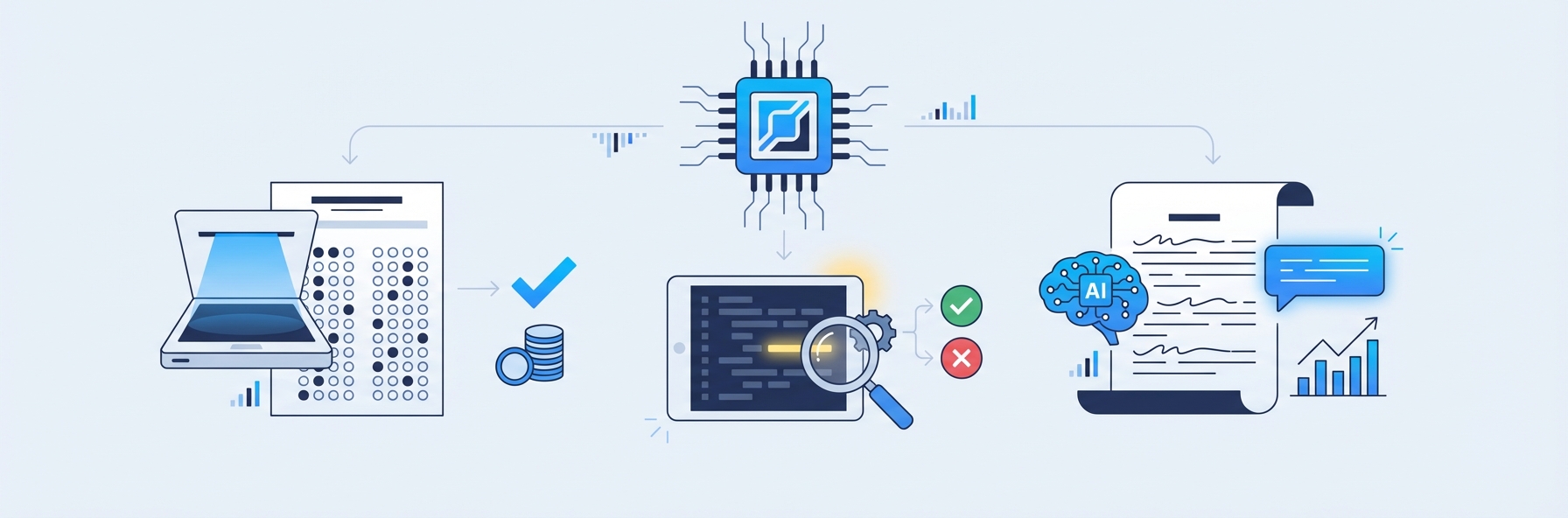
Automated grading is not a single technology. It is a family of approaches, each designed for a different type of student work. Understanding these categories helps educators choose the right tool for their specific assessment needs.
Multiple-Choice and True/False Grading
The simplest and most mature form of automated grading. Students fill in bubbles on a standardized answer sheet, and a scanner or camera-based system reads their selections and compares them to the answer key. This technology has been reliable for decades and is the foundation of standardized testing worldwide.
Best for: Standardized tests, quick knowledge checks, diagnostic assessments. Limitations: Cannot assess reasoning, problem-solving, or creative thinking.
Short-Answer Grading
More sophisticated than multiple-choice, short-answer automated grading uses natural language processing to evaluate typed or handwritten responses of one to three sentences. The system compares the student's response to accepted answers, accounting for synonyms, paraphrasing, and alternative correct formulations.
Best for: Vocabulary tests, definition questions, factual recall assessments. Limitations: Struggles with highly open-ended questions where many different answers could be equally valid.
Handwritten Math Grading
This is one of the most technically challenging and practically valuable forms of automated grading. The system uses optical character recognition to read handwritten digits, mathematical symbols, and spatial notation (fractions, exponents, radicals), then evaluates whether the student's answer and working are correct.
The best systems go beyond checking the final answer. They follow multi-step working, identify where errors first occur, and award partial credit for correct methodology even when the final answer is wrong. This mirrors how expert human tutors grade math, making the feedback genuinely useful for learning.
IntelGrader specializes in this category, using AI trained on real student handwriting to grade math worksheets with accuracy rates that match experienced human graders. For a deep dive into how this technology works, see our guide to AI grading for handwritten math.
Best for: Tutoring centers, math coaching institutes, supplementary education providers. Limitations: Accuracy depends on handwriting legibility and the quality of the OCR model.
Essay and Long-Form Writing Grading
Automated essay scoring uses NLP and machine learning to evaluate student writing across dimensions such as argument quality, grammar, structure, vocabulary, and adherence to a prompt. Modern systems based on transformer models achieve agreement rates with human graders comparable to two humans agreeing with each other.
Best for: Writing assessments, standardized test preparation, formative writing feedback. Limitations: Less reliable for creative writing, poetry, or responses requiring specialized domain knowledge.
Code Grading
Automated grading for programming assignments tests student code against a battery of test cases, evaluating both correctness and code quality. Some systems also assess style, efficiency, and documentation. This category has become essential in computer science education.
Best for: CS courses, coding bootcamps, technical assessments. Limitations: May not evaluate code elegance, algorithmic creativity, or novel approaches that produce correct results through unexpected methods.
Diagram and Visual Response Grading
An emerging category where AI evaluates student-drawn diagrams, graphs, and visual responses. This is still in early development but holds promise for science, geometry, and engineering assessments.
Best for: Science diagrams, geometric constructions, graph interpretation. Limitations: Technology is still maturing; accuracy varies significantly.
How Automated Grading Technology Works
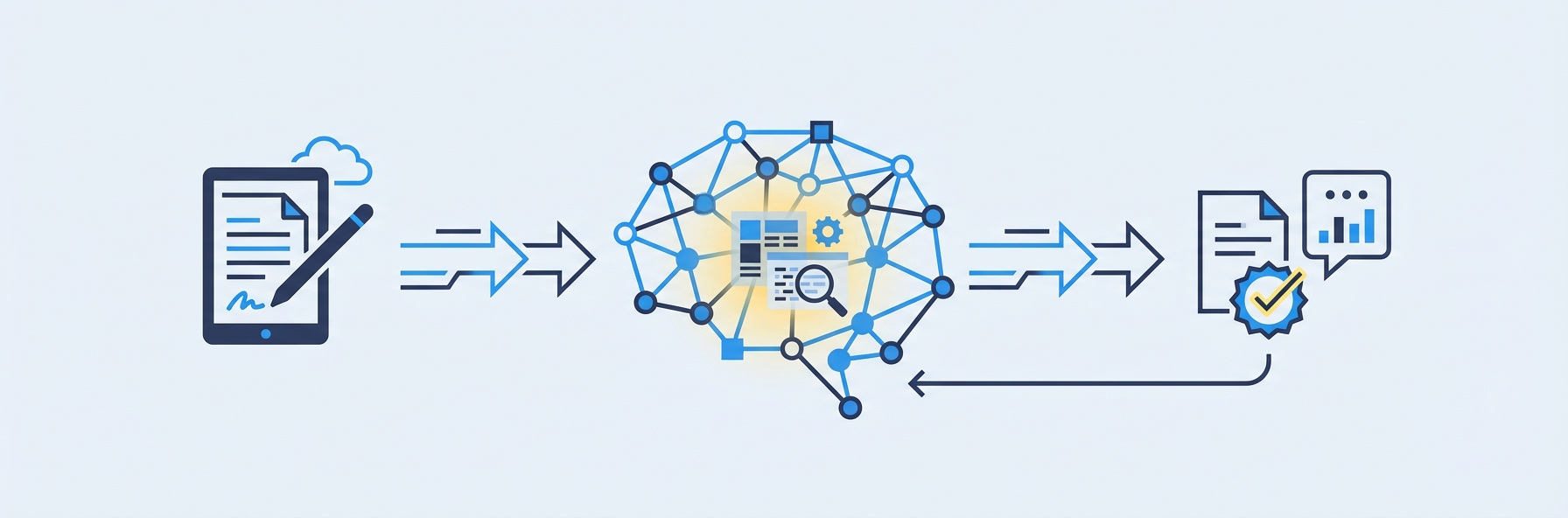
Behind every automated grading system is a stack of technologies working together. Understanding these components helps educators evaluate tools critically and set realistic expectations.
Optical Character Recognition (OCR)
OCR is the gateway technology for any automated grading system that handles physical or handwritten student work. It converts images of text -- whether printed or handwritten -- into machine-readable characters.
Standard OCR (designed for printed text) is a mature technology with accuracy rates above 99 percent for clean printed documents. Handwriting OCR is significantly harder. Student handwriting varies enormously in size, slant, spacing, and legibility. Math-specific OCR faces additional challenges: it must interpret spatial relationships (a number positioned as a superscript versus alongside), recognize a large symbol set (operators, Greek letters, fraction bars), and handle the messiness of real classroom work.
The quality of the OCR determines the ceiling for everything downstream. If the system misreads a "5" as an "S," no amount of sophisticated grading logic can compensate. This is why platforms like IntelGrader invest heavily in OCR models trained specifically on student handwriting produced in real tutoring and classroom settings.
Natural Language Processing (NLP)
NLP enables automated grading systems to understand and evaluate written text. For short-answer and essay grading, NLP models analyze:
- Semantic meaning -- Does the response convey the correct concept, even if worded differently from the answer key?
- Grammar and mechanics -- Are there errors in spelling, punctuation, syntax, or usage?
- Coherence and structure -- Does the response flow logically? Are ideas organized effectively?
- Topic relevance -- Does the response address the prompt, or has the student gone off-topic?
Modern NLP leverages transformer architectures (the same family of models behind GPT and similar systems) to evaluate text with nuance that earlier keyword-matching approaches could not achieve.
Machine Learning (ML) Models
Machine learning is the engine that drives prediction in automated grading. ML models are trained on large datasets of student responses that have been scored by human graders. The model learns which features of a response correlate with high, medium, and low scores, then applies those learned patterns to new responses.
The training process is critical. A model trained on college-level essays will perform poorly on elementary school writing. A model trained on neat, printed handwriting will struggle with messy student worksheets. The best automated grading platforms continuously retrain their models on data representative of their actual user base.
Computer Vision
For handwritten work, computer vision extends beyond basic OCR. Computer vision models can:
- Detect and segment individual questions on a worksheet
- Identify crossed-out work versus final answers
- Recognize diagrams, graphs, and tables
- Parse the spatial layout of multi-step mathematical working
These capabilities are essential for grading real student work, which rarely looks like the clean, structured examples used in technology demonstrations.
Feedback Generation
The most valuable automated grading systems do not just return a score. They generate specific, actionable feedback for each question. This typically involves:
- Identifying the type of error (computational mistake, conceptual misunderstanding, procedural error)
- Mapping the error to the relevant learning objective
- Generating a human-readable explanation of what went wrong and what to review
Feedback generation is where automated grading delivers its greatest pedagogical value. Research consistently shows that timely, specific feedback is among the most powerful influences on student learning.
Benefits of Automated Grading
The advantages of automated grading extend across every stakeholder in the education ecosystem: educators, students, parents, and institution administrators.
For Educators
- Time reclaimed. A tutoring center processing 300 worksheets per week spends roughly 15 to 25 hours on manual grading. Automated grading reduces this to minutes of review time, freeing educators to focus on instruction, mentoring, and curriculum development.
- Consistent standards. Every worksheet is graded against identical criteria, eliminating inter-marker variability and the drift in standards that occurs when a human grades their fiftieth paper of the day.
- Reduced burnout. Grading is consistently cited as one of the most time-consuming and least satisfying aspects of teaching. Automating it improves job satisfaction and retention.
For Students
- Instant feedback. Students receive results in seconds, not days. This immediacy allows them to correct misconceptions while the material is still fresh, which learning science shows is dramatically more effective than delayed feedback.
- Detailed explanations. The best automated grading systems explain not just what the student got wrong but why, and what concept to revisit. This transforms assessment from a judgment into a learning opportunity.
- More practice opportunities. When grading is not a bottleneck, educators can assign more practice without increasing their workload. More practice with immediate feedback accelerates skill development.
For Tutoring Centers and Schools
- Scalability. Automated grading breaks the linear relationship between student volume and grading labor. A center can grow from 100 to 500 students without proportionally increasing its marking costs.
- Data-driven instruction. Every graded response becomes a data point. Over time, the system reveals which topics students struggle with, which types of errors recur, and where instructional intervention is needed. This analytics capability supports the kind of personalized, evidence-based teaching that parents increasingly demand.
- Competitive differentiation. Centers using automated grading can offer faster feedback, more practice, and detailed progress reports -- tangible advantages when competing for students. Explore how automated grading fits into a broader tutoring software strategy.
For Parents
- Transparent progress tracking. Parents can see detailed, data-driven reports on their child's progress rather than relying on anecdotal updates. This builds trust and demonstrates value.
- Evidence-based conversations. When a parent asks how their child is doing, educators can point to specific data -- accuracy trends, concept mastery rates, areas of improvement -- rather than vague generalizations.
Challenges and Limitations of Automated Grading
No technology is without limitations, and automated grading is no exception. Understanding these challenges helps educators implement the technology effectively.
Accuracy Boundaries
Automated grading accuracy varies by task type. Multiple-choice scoring is essentially perfect. Handwritten math grading is highly accurate but depends on handwriting legibility. Essay scoring achieves human-level agreement for structured prompts but struggles with creative or open-ended tasks. Educators should understand the accuracy profile of their specific use case and implement human review for borderline or high-stakes cases.
The "Correct Answer" Assumption
Many automated grading systems assume a single correct answer or a small set of acceptable answers. This works well for math and factual recall but is problematic for questions where multiple valid approaches exist. The best systems, like IntelGrader, address this by evaluating the method and working, not just the final answer, allowing for partial credit and alternative approaches.
Setup and Configuration Time
Automated grading is not zero-effort. Educators must upload worksheets, define answer keys, configure rubrics, and sometimes train the system on their specific content. The initial setup investment pays off over time as the same configuration is reused across many students and sessions, but centers should plan for this onboarding period.
Student Handwriting Quality
For systems that grade handwritten work, extremely poor handwriting remains a challenge. While modern OCR handles a wide range of handwriting quality, illegible responses may require human intervention. Some platforms handle this by flagging low-confidence readings for manual review rather than guessing.
Resistance to Change
Some educators are skeptical of automated grading, either doubting its accuracy or fearing it will diminish their role. Addressing these concerns requires demonstration of the technology's capabilities and clear communication that automated grading replaces the marking pile, not the teacher. The tutor's expertise in explaining concepts, building relationships, and adapting instruction remains irreplaceable.
Equity Concerns
Automated grading systems trained on biased data may produce biased scores. Institutions should evaluate the training data and validation processes behind any tool they adopt, particularly for high-stakes assessments. For a broader discussion of AI fairness in assessment, see our article on AI essay scoring.
Automated Grading Tools Compared
The market for automated grading tools is diverse, with platforms specializing in different assessment types, educational levels, and institutional needs. Here is how the major players compare.
IntelGrader
Specialization: Handwritten math grading for tutoring centers. Key strength: AI trained on real student handwriting; reads digits, symbols, and multi-step working; awards partial credit; generates specific feedback. Designed specifically for the tutoring center workflow. Best for: Math tutoring centers, coaching institutes, supplementary education providers. Pricing: Custom pricing via demo.
Gradescope (by Turnitin)
Specialization: University-level assignment grading across multiple formats. Key strength: AI-assisted grouping of similar answers; supports handwritten, typed, and code submissions. Strong integration with university LMS platforms. Best for: Universities and higher education institutions. Pricing: Institutional licensing.
For a detailed comparison, see IntelGrader vs. Gradescope.
Turnitin
Specialization: Plagiarism detection and writing assessment. Key strength: Industry-leading originality checking; expanding into AI-powered writing feedback and scoring. Best for: Higher education institutions focused on academic integrity and writing assessment. Pricing: Institutional licensing.
Crowdmark
Specialization: Collaborative grading for universities. Key strength: Supports peer review workflows; handles handwritten and typed responses; provides assessment analytics. Best for: Large university courses with multiple graders. Pricing: Per-student licensing.
CodeGrade
Specialization: Automated grading for programming assignments. Key strength: Runs student code against test cases; evaluates style and documentation; integrates with major LMS platforms. Best for: Computer science courses and coding bootcamps. Pricing: Per-student licensing.
Edulastic
Specialization: K-12 formative and summative assessment. Key strength: Large item bank; supports multiple question types; standards-aligned reporting. Best for: K-12 schools and districts. Pricing: Free tier available; premium plans for advanced features.
Google Classroom Practice Sets
Specialization: Automated grading within the Google Workspace ecosystem. Key strength: Free for schools using Google Workspace; supports auto-graded practice problems with hints and feedback. Best for: Schools already invested in the Google ecosystem. Pricing: Included with Google Workspace for Education.
Implementation Guide: Deploying Automated Grading
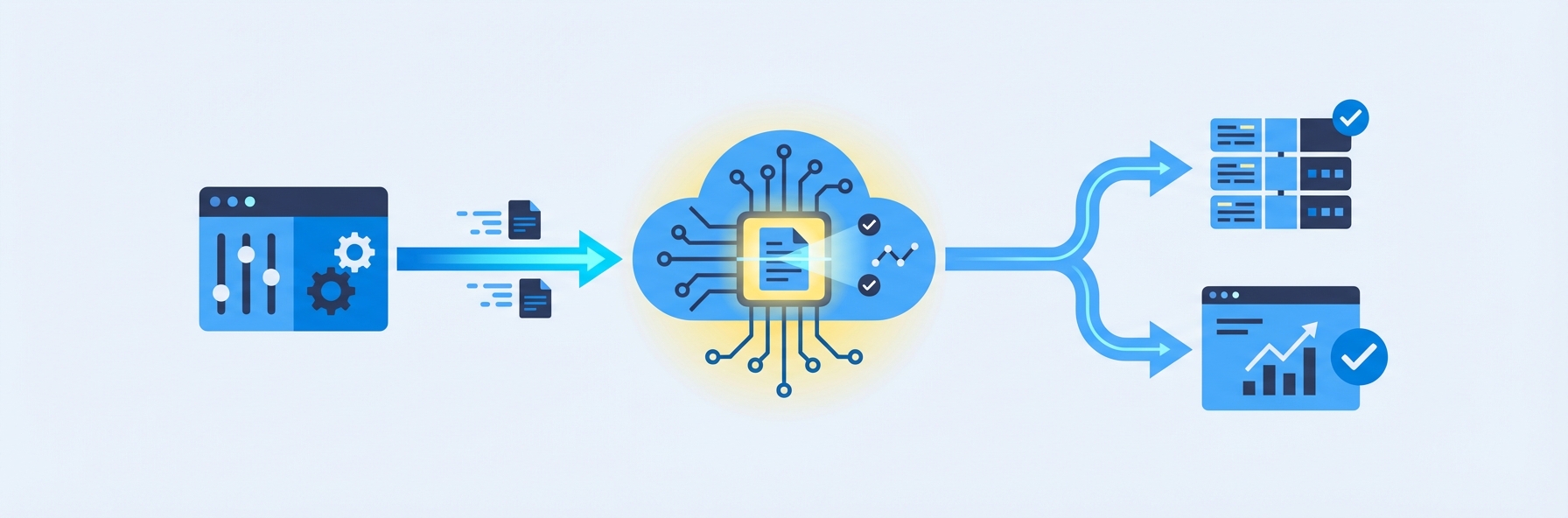
Successfully implementing automated grading requires more than selecting a tool. Here is a step-by-step guide based on the experiences of tutoring centers and schools that have successfully made the transition.
Step 1: Audit Your Current Grading Workflow
Before adopting any tool, document your current grading process:
- How many worksheets or assessments do you grade per week?
- What types of questions do they contain (multiple choice, short answer, handwritten math, essays)?
- How long does grading take, and who does it?
- How is feedback delivered to students, and how quickly?
- How are grades and progress tracked?
This audit establishes your baseline and identifies where automated grading will have the greatest impact.
Step 2: Define Your Requirements
Not every center needs every feature. Prioritize based on your audit:
- Question types: Do you primarily grade math, writing, or mixed assessments?
- Handwriting support: Do your students write by hand? If so, you need a platform with strong OCR.
- Feedback quality: Do you want simple correct/incorrect scoring, or detailed explanatory feedback?
- Analytics: Do you need progress tracking dashboards for tutors and parents?
- Integration: Does the tool need to integrate with your existing management software?
- Scale: How many students and worksheets will the system need to handle?
Step 3: Evaluate and Select a Tool
Test two or three platforms against your actual worksheets and student work. Do not rely on marketing demos with clean, perfectly formatted examples. Submit real student worksheets -- with messy handwriting, crossed-out work, and unusual formatting -- and evaluate the accuracy and feedback quality.
Key evaluation criteria:
- Accuracy on your specific content and student population
- Speed of grading (should be under 30 seconds per worksheet)
- Quality and specificity of feedback
- Ease of setup and ongoing use
- Reporting and analytics capabilities
- Customer support and training resources
- Pricing and scalability
Step 4: Pilot with a Small Group
Start with a single class, subject, or tutor. Run the automated grading system in parallel with manual grading for two to four weeks, comparing results. This pilot period builds confidence, identifies any configuration issues, and provides data to justify broader rollout.
Step 5: Train Your Team
Even the most intuitive tool requires training. Ensure all tutors and administrators understand:
- How to upload worksheets and configure answer keys
- How to review and override AI grades when necessary
- How to interpret analytics dashboards
- When to escalate to human review (e.g., low-confidence scores, unusual student responses)
Step 6: Roll Out and Iterate
Expand to all classes and subjects incrementally. Monitor accuracy, gather feedback from tutors and students, and adjust configurations as needed. Most platforms improve over time as they process more data from your specific student population.
Step 7: Communicate with Parents
Parents are often enthusiastic about automated grading once they understand the benefits: faster feedback, more practice, detailed progress reports. Proactively communicate the change, demonstrate the reporting capabilities, and address any concerns about AI accuracy.
For tutoring centers ready to implement automated grading for handwritten math, book a demo with IntelGrader to see the platform in action with your actual worksheets.
The Future of Automated Grading
Automated grading is evolving rapidly, driven by advances in AI and growing adoption across the education sector. Several trends are shaping its future.
Multimodal Assessment
Future systems will seamlessly grade mixed submissions: handwritten text, diagrams, typed responses, and even audio or video explanations within a single assessment. This aligns with how students naturally express their understanding.
Real-Time Formative Assessment
Rather than grading completed work after submission, next-generation systems will provide feedback in real time as students work. This transforms automated grading from an assessment tool into a learning companion.
Adaptive Difficulty
Automated grading systems will increasingly connect to adaptive learning platforms that adjust question difficulty based on a student's demonstrated mastery. Grade a question correctly, and the next one gets harder. Struggle with a concept, and the system provides additional practice at the appropriate level.
Explainable AI
As automated grading is used in higher-stakes contexts, demand for explainability will grow. Educators, students, and parents will expect clear explanations of how the AI arrived at each score, not just the score itself.
Global Accessibility
Automated grading will become more accessible to educators in resource-constrained settings, with mobile-first platforms, offline capabilities, and support for a wider range of languages and scripts.
For a comprehensive look at where these trends are heading, see our article on the future of AI grading.
Frequently Asked Questions
What types of student work can automated grading handle?
Modern automated grading systems can process multiple-choice answers, short-answer responses, handwritten math (including multi-step working and partial credit), essays and long-form writing, programming code, and increasingly, diagrams and visual responses. The key differentiator between platforms is which types they handle well. For example, IntelGrader specializes in handwritten math grading for tutoring centers, while Gradescope focuses on university-level multi-format submissions. Choose a platform aligned with your primary assessment types.
How accurate is automated grading compared to human grading?
Accuracy varies by task type. Multiple-choice grading is essentially perfect. Handwritten math grading by leading platforms achieves accuracy rates comparable to experienced human graders, typically above 95 percent for legible handwriting. Essay scoring matches human-human agreement rates on structured prompts. The critical factor is the quality of the AI model and its training data. Always test a platform against your actual student work before committing.
Will automated grading replace teachers and tutors?
No. Automated grading replaces the most repetitive, time-consuming part of an educator's job: the marking pile. It does not replace the expertise tutors bring to explaining concepts, building student confidence, adapting instruction to individual needs, and communicating with parents. In practice, automated grading makes the tutoring role more sustainable and more focused on high-value activities by eliminating the hours spent on mechanical correction.
How long does it take to set up automated grading for a tutoring center?
Initial setup typically takes one to two weeks: configuring the platform, uploading your worksheets and answer keys, and training your team on the workflow. After this onboarding period, adding new worksheets takes minutes, and the ongoing time investment is minimal. Most centers report that the time savings begin to exceed the setup investment within the first month.
Is automated grading suitable for high-stakes exams?
For high-stakes exams -- those with significant consequences for students, such as university admissions tests or professional certifications -- automated grading is best used as part of a hybrid workflow. The AI provides an initial score, and human graders review borderline cases or a random sample to ensure quality. Many standardized testing organizations (including ETS and Pearson) already use this hybrid approach. For lower-stakes formative assessments, fully automated grading is widely accepted and practically beneficial.
Sources
Shermis, M. D., & Hamner, B. (2013). "Contrasting State-of-the-Art Automated Scoring of Essays." In Handbook of Automated Essay Evaluation. Routledge. A comprehensive comparison of automated scoring approaches and their accuracy relative to human graders.
National Research Council. (2014). Developing Assessments for the Next Generation Science Standards. The National Academies Press. Includes discussion of automated scoring technologies and their role in modern assessment design.
Hattie, J. (2009). Visible Learning: A Synthesis of Over 800 Meta-Analyses Relating to Achievement. Routledge. The landmark meta-analysis establishing feedback as one of the top influences on student learning, with effect sizes and conditions for effective feedback.
International Association for AI in Education (IAIED). (2026). "Best Practices for AI-Powered Assessment." Position paper on responsible use of AI in educational assessment, including automated grading accuracy standards and fairness considerations. https://iaied.org
Piech, C., et al. (2015). "Learning Program Embeddings to Propagate Feedback on Student Code." Proceedings of the 32nd International Conference on Machine Learning. Foundational research on automated feedback for code submissions, demonstrating how AI can provide human-quality feedback at scale.
Related India subjective assessment guides
IntelGrader's India positioning is now centred on written and descriptive assessment. Start with AI subjective assessment software in India, then read AI answer sheet evaluation for boards, UPSC, and universities. For objective exam prep, use JEE and NEET subjective step analysis to see how written practice reveals student thinking before MCQs.
Related IntelGrader resources
Related IntelGrader resources
Ready to transform your grading?
See how IntelGrader can save your tutoring centre 10+ hours per week with AI-powered grading.