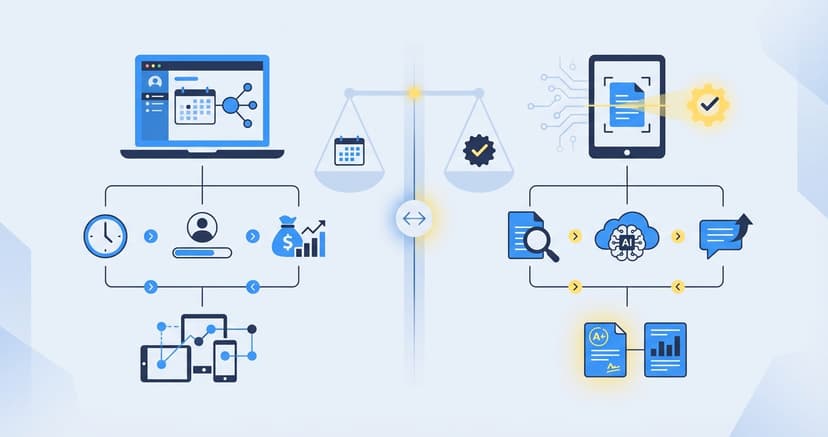
Best Tutoring Software for Educators
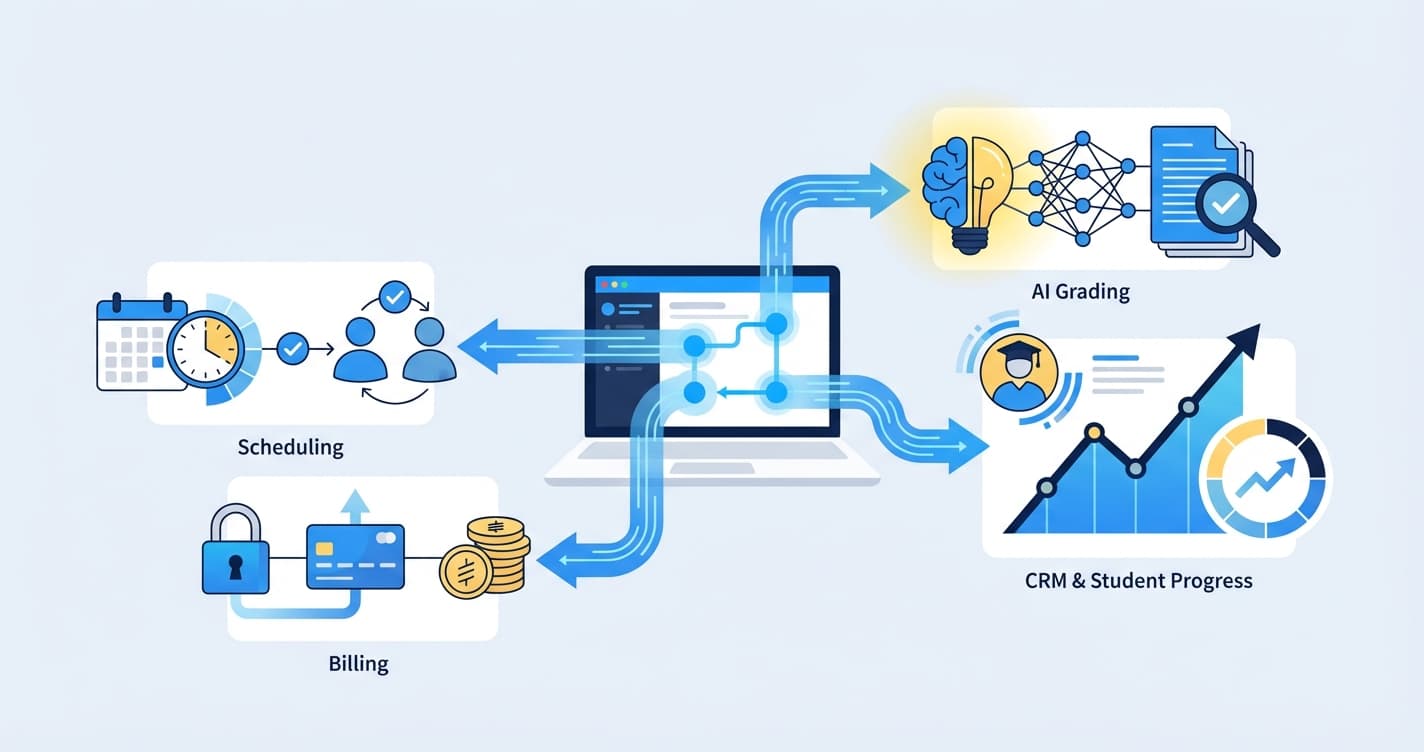
How to Choose Tutoring Software: The Complete Buyer's Guide for 2026
Tutoring software is any digital tool that helps tutoring centers manage their operations, from scheduling sessions and processing payments to grading student work and communicating with parents. A tutoring software comparison is the process of evaluating these platforms side by side to find the best fit for your center's size, budget, and goals.
If you run a tutoring center — or plan to open one — you will eventually face a critical decision: which software should power your operation? The wrong choice can cost you thousands of dollars, frustrate your staff, and drive families away. The right choice can save your tutors hours every week, delight parents with transparent progress data, and give you the operational leverage to grow.
This buyer's guide walks you through exactly how to evaluate tutoring software, what features matter most, what hidden costs to watch for, and how the leading platforms compare in 2026. Whether you are running a single-location math center or scaling a multi-site test prep operation, this tutoring software comparison will help you make an informed decision.
Why Tutoring Software Matters More Than Ever
The US tutoring industry has crossed $10 billion in annual revenue, and after-school learning centers are opening at a pace not seen in decades. Parents spending $200 to $500 per month on supplemental education expect more than handwritten progress notes. They expect data, transparency, and a professional experience that matches what they get from every other service they pay for.
At the same time, staffing challenges have intensified. Qualified tutors are harder to find and more expensive to retain. Centers cannot afford to have their best instructors spending 30 to 40 percent of their time on administrative tasks like grading worksheets and entering scores into spreadsheets.
Technology is no longer optional. The tutoring centers that invest in the right software stack are winning on three fronts:
- Operational efficiency. Fewer manual hours spent on scheduling, billing, and grading.
- Parent satisfaction. Real-time progress data and professional communication.
- Scalability. The ability to add students without proportionally adding administrative overhead.
But "investing in the right software" is easier said than done. The market is crowded, pricing is opaque, and many platforms look similar on the surface. A structured tutoring software comparison is the only way to cut through the noise.
8 Features to Evaluate in Any Tutoring Software
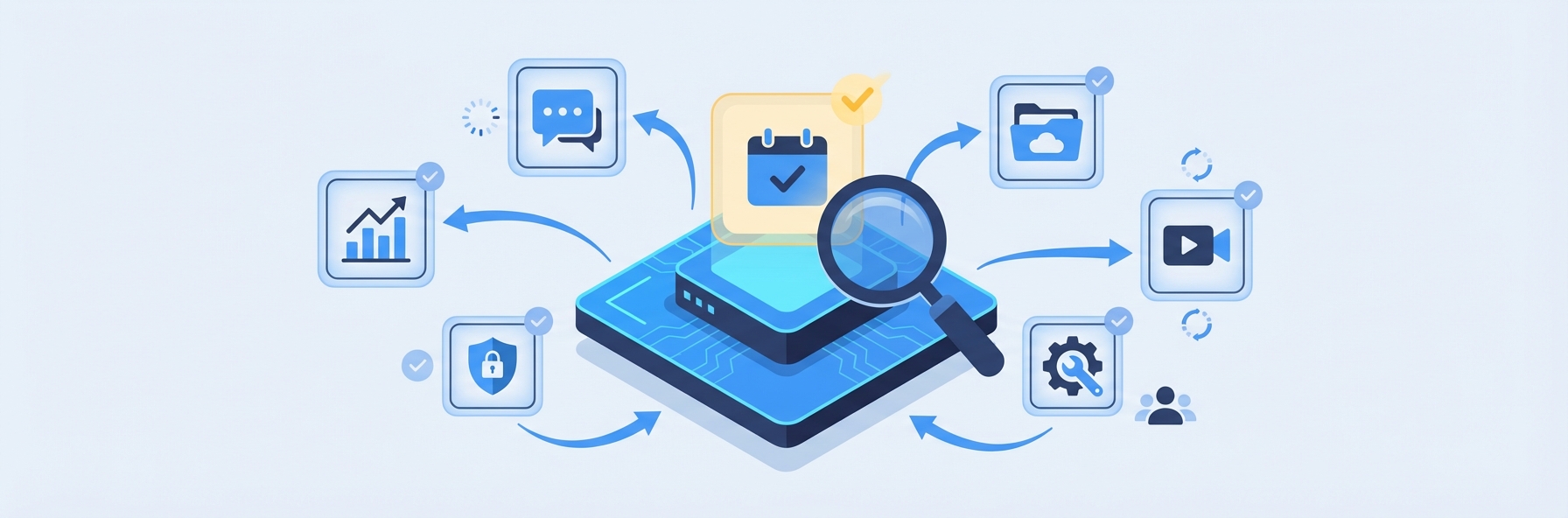
Before you start comparing specific platforms, you need a clear evaluation framework. These eight feature categories cover the full range of tutoring center operations. Not every center needs all eight, but understanding the landscape will help you prioritize.
1. Scheduling and Calendar Management
Scheduling is the foundational feature of most tutoring center software. At minimum, the platform should handle:
- Session booking for one-on-one and group tutoring
- Recurring appointment management
- Tutor availability tracking and conflict detection
- Room or resource allocation (for centers with physical locations)
- Automated reminders via email or SMS
- Parent and student self-booking (optional but increasingly expected)
- Google Calendar or Outlook sync
For centers running 50 or more sessions per week across multiple tutors and classrooms, scheduling complexity scales rapidly. A platform that works fine for 10 sessions a week can become unmanageable at 100.
Questions to ask: Can the scheduling system handle your peak-week volume? Does it support both recurring and drop-in sessions? How does it handle cancellations and makeup sessions?
2. Grading and Assessment
This is the feature category where most tutoring software falls short — and where the right choice can deliver the most dramatic impact on your center's efficiency.
Traditional tutoring management platforms treat grading as an afterthought, if they address it at all. Most centers still grade by hand: tutors sit down after sessions with stacks of worksheets, mark each one, record scores in a spreadsheet, and move on. For a center generating 50 to 80 worksheets per day, this process consumes 10 to 20 hours per week.
AI-powered grading platforms like IntelGrader have fundamentally changed this equation. Using optical character recognition trained specifically on student handwriting, these tools can grade a stack of handwritten math worksheets in minutes — with instant, personalized feedback for each student.
When conducting your tutoring software comparison, ask:
- Does the platform automate grading, or does it just provide a place to record grades manually?
- Can it handle handwritten student work, or only typed responses and multiple choice?
- Does it provide instant feedback to students, or just a score?
- Does grading data feed into progress analytics automatically?
For math-focused tutoring centers preparing students for the SAT, ACT, AP exams, or state standardized tests, automated grading is not a nice-to-have. It is the single highest-impact feature you can adopt.
3. Billing and Invoicing
Billing in a tutoring center is more complex than it appears. Centers typically juggle multiple pricing models simultaneously:
- Per-session billing
- Monthly packages (for example, 8 sessions per month)
- Semester or term-based packages
- Sibling discounts
- Trial session pricing
- Make-up session policies
The billing platform needs to handle all of these without requiring manual adjustments. Look for:
- Automated invoice generation
- Online payment processing (credit card, ACH)
- Outstanding balance tracking and payment reminders
- Support for your specific pricing models
- Tax receipt generation
- Integration with accounting software like QuickBooks or Xero
Key consideration: Some platforms charge a transaction fee on top of the payment processor's fee. Factor this into your cost analysis — on $50,000 in monthly tuition, even a 1 percent surcharge adds $500 per month.
4. Student and Parent CRM
A CRM (customer relationship management) module helps you track every interaction with students and families. Good CRM features include:
- Student profiles with enrollment history, session records, and academic data
- Parent contact information and communication history
- Lead tracking for prospective families
- Enrollment status management (active, paused, withdrawn)
- Notes and tags for custom categorization
Centers that grow beyond 50 active students almost always need a CRM. Without one, important details — which parent asked about SAT prep, which student needs to reschedule, which family has an outstanding balance — fall through the cracks.
5. Reporting and Analytics
Reporting splits into two distinct categories, and your evaluation should cover both:
Operational analytics cover the business side: revenue, session utilization rates, tutor productivity, attendance trends, outstanding receivables, and enrollment growth. These metrics help you run a profitable center.
Academic analytics cover the education side: student scores over time, topic-level performance, class-wide trends, and individual progress trajectories. These metrics help you deliver better outcomes — and they are what parents increasingly expect to see.
Most traditional tutoring management software handles operational analytics reasonably well. Academic analytics are far less common, because they require grading data to exist in the system. Platforms that automate grading — feeding results directly into analytics dashboards — have a significant advantage here. IntelGrader's real-time progress tracking is an example of how grading and analytics work together in a well-designed system.
6. Communication Tools
Parent communication is a major driver of retention. The software should support:
- Automated session reminders (email and SMS)
- A parent portal where families can view schedules, invoices, and progress
- The ability to share session notes, graded worksheets, or progress reports
- Broadcast messaging for center-wide announcements
- Two-way messaging between parents and tutors or administrators
Centers that communicate proactively with parents see measurably lower churn. If your current communication consists of occasional emails and end-of-term report cards, improving this area will have an outsized effect on retention.
7. Integrations
No single platform does everything. Your tutoring software will need to work alongside other tools in your stack. Common integration needs include:
- Calendar: Google Calendar, Outlook
- Video conferencing: Zoom, Google Meet (for hybrid or online sessions)
- Payment processing: Stripe, Square, PayPal
- Accounting: QuickBooks, Xero, FreshBooks
- Email marketing: Mailchimp, Constant Contact
- Learning management: Google Classroom
Check whether integrations are native (built into the platform), available through Zapier or similar middleware, or not available at all. Native integrations are the most reliable. Zapier-based integrations work but add cost and occasional fragility.
8. Mobile Access
Your tutors and administrators are not always sitting at a desktop. Mobile access matters for:
- Tutors marking attendance during sessions
- Administrators checking schedules on the go
- Parents viewing progress reports from their phones
- Students submitting work via phone camera (for platforms that support photo uploads)
Evaluate whether the platform has a dedicated mobile app, a responsive web interface, or neither. A responsive web interface is acceptable for most use cases, but a native app provides a smoother experience — particularly for photo-based workflows like submitting handwritten worksheets for AI grading.
Tutoring Software Comparison Framework
Use this framework to structure your evaluation. Score each platform on a 1-to-5 scale across the eight feature categories, then weight the scores based on your center's priorities.
| Feature Category | Weight (Your Priority) | Platform A | Platform B | Platform C |
|---|---|---|---|---|
| Scheduling | ___ | ___ | ___ | ___ |
| Grading & Assessment | ___ | ___ | ___ | ___ |
| Billing & Invoicing | ___ | ___ | ___ | ___ |
| CRM | ___ | ___ | ___ | ___ |
| Reporting & Analytics | ___ | ___ | ___ | ___ |
| Communication | ___ | ___ | ___ | ___ |
| Integrations | ___ | ___ | ___ | ___ |
| Mobile Access | ___ | ___ | ___ | ___ |
| Weighted Total | ___ | ___ | ___ |
Assign higher weights to the areas that represent your biggest pain points. A center drowning in ungraded worksheets should weight grading and assessment heavily. A center losing families because of billing confusion should weight invoicing and communication.
This structured approach prevents you from being swayed by slick demos or feature lists and keeps your evaluation grounded in what actually matters for your operation.
Top 5 Tutoring Software Platforms Compared
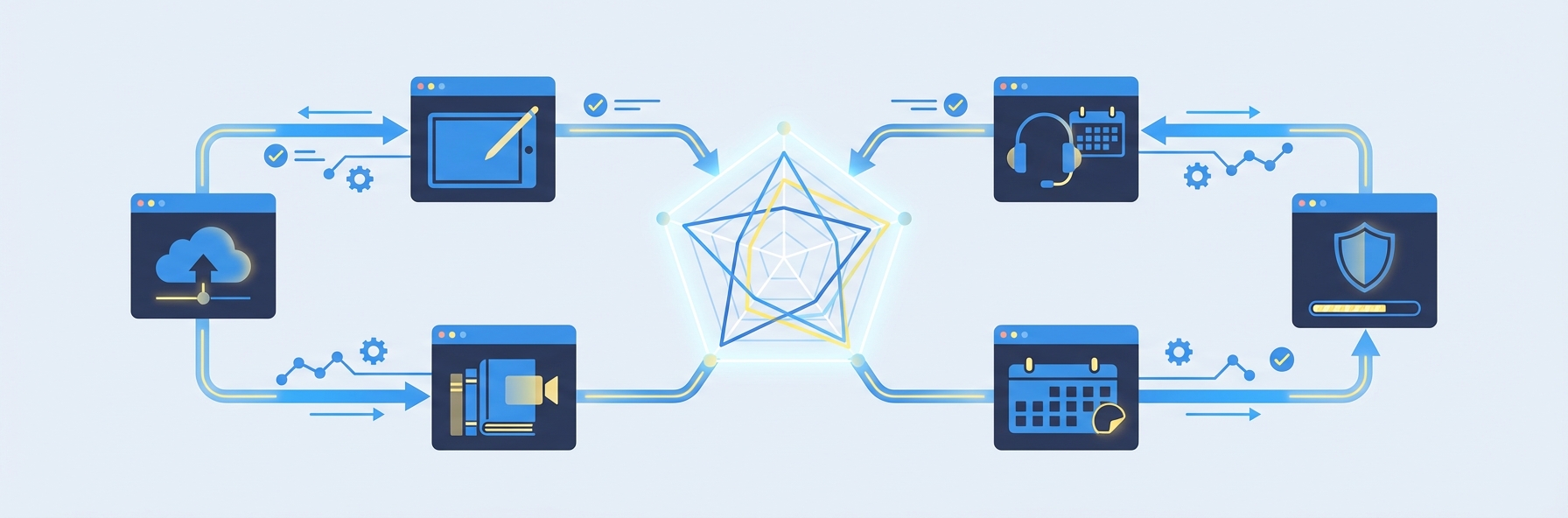
IntelGrader
Best for: Math-focused tutoring centers that need to eliminate grading bottlenecks.
IntelGrader is an AI-powered grading platform built specifically for tutoring centers. It uses advanced OCR technology to read and grade handwritten math worksheets, deliver instant personalized feedback to students, and track progress over time through real-time analytics dashboards.
- Grading & Assessment: Industry-leading. Handles handwritten math with high accuracy. Instant student feedback. Automatic progress tracking.
- Reporting: Strong academic analytics. Topic-level performance data. Parent-facing progress reports.
- Scheduling: Not a primary feature. Designed to complement your existing scheduling tool.
- Billing: Not included. Use alongside a billing platform.
- Pricing: Book a demo for custom pricing based on center size and volume.
IntelGrader is not an all-in-one platform. It is a specialized tool that solves the hardest and most time-consuming problem tutoring centers face: grading. Centers that pair IntelGrader with a scheduling and billing tool like TutorBird or Teachworks get the best of both worlds. Learn more in our detailed tutoring software hub.
TutorBird
Best for: Small to mid-size centers that need scheduling and billing in one platform.
TutorBird is a Canadian-built tutoring management platform focused on scheduling, billing, and parent communication. It handles the operational side of running a tutoring center competently.
- Scheduling: Strong. Handles recurring sessions, group classes, and tutor availability well.
- Billing: Solid. Supports invoicing, online payments, and package billing.
- Communication: Good parent portal with scheduling and payment visibility.
- Grading & Assessment: Minimal. No automated grading. Manual grade entry only.
- Reporting: Basic operational metrics. Limited academic analytics.
TutorBird is a reliable choice for the business side of tutoring center management. Its main limitation is the complete absence of assessment tools. For a detailed comparison, see our TutorBird vs IntelGrader analysis.
Teachworks
Best for: Multi-location centers and agencies that need comprehensive business management.
Teachworks offers scheduling, billing, CRM, and payroll management for tutoring businesses. It is one of the more feature-rich operational platforms on the market.
- Scheduling: Very strong. Handles complex multi-location scenarios.
- Billing: Comprehensive. Multiple pricing models, automated invoicing, payroll.
- CRM: Strong student and parent relationship management.
- Communication: Good. Automated reminders, lesson notes, parent portal.
- Grading & Assessment: Not available. No grading automation.
- Reporting: Good operational analytics. No academic performance data.
Teachworks is a mature platform that handles the business side well. Like TutorBird, it does not address grading or assessment. Read our full Teachworks comparison.
TutorCruncher
Best for: Tutoring agencies that manage a large network of independent tutors.
TutorCruncher is designed for tutoring agencies — businesses that match students with tutors rather than operating physical learning centers. Its strength is managing tutor networks, handling complex commission structures, and automating client-tutor matching.
- Scheduling: Good, with a focus on one-on-one session management.
- Billing: Strong. Handles agency-specific billing models including commission splits.
- CRM: Built for agency workflows. Lead management, client matching.
- Grading & Assessment: Not available.
- Reporting: Operational focus. Revenue, utilization, tutor performance metrics.
TutorCruncher is an excellent choice for agencies but less suited to brick-and-mortar tutoring centers that run group classes and need assessment tools.
Oases Online
Best for: Established tutoring centers that want a broad, all-in-one platform.
Oases Online is a veteran in the tutoring software space, offering a wide feature set that covers scheduling, billing, CRM, communication, and basic grade tracking.
- Scheduling: Solid. Handles group and individual sessions.
- Billing: Comprehensive. Invoicing, payment processing, financial reporting.
- CRM: Good. Student records, enrollment tracking, parent communication.
- Grading & Assessment: Basic manual grade entry. No AI or automated grading.
- Reporting: Decent operational and basic academic reporting.
Oases Online tries to be a one-stop shop. It covers more ground than most competitors but does not excel in any single area. Centers with complex needs often outgrow it.
Hidden Costs to Watch For

A thorough evaluation must look beyond the advertised price. Here are the costs that catch center owners by surprise.
Per-User or Per-Student Pricing Tiers
Some platforms charge based on the number of active students or tutors. This sounds reasonable until your center grows. A platform that costs $49 per month for 50 students might cost $199 per month for 200 students. Understand the pricing curve before you commit.
Payment Processing Surcharges
If the platform processes payments, it likely passes through credit card fees (typically 2.9 percent plus $0.30 per transaction). Some platforms add their own surcharge on top. For a center collecting $30,000 per month in tuition, a 1 percent platform surcharge adds $300 per month — or $3,600 per year.
Data Migration Fees
Moving from one platform to another often involves migrating student records, payment history, and scheduling data. Some platforms charge for data migration assistance, and others make it deliberately difficult to export your data. Ask about data portability before signing up.
Training and Onboarding
Complex platforms may require paid onboarding sessions. Even "free" onboarding has a hidden cost: the hours your team spends learning the new system instead of teaching. Choose platforms with intuitive interfaces that minimize training time.
Feature-Gating and Add-Ons
Watch for platforms that advertise a low base price but lock important features behind higher-tier plans. SMS messaging, advanced reporting, custom branding, and API access are commonly gated features. Make sure the plan you are evaluating includes everything you need.
Opportunity Cost of Missing Features
This is the biggest hidden cost of all. If your chosen platform does not automate grading, your tutors are still spending 10 to 20 hours per week grading by hand. At $20 per hour, that is $200 to $400 per week — $10,000 to $20,000 per year — in tutor time spent on tasks that software could handle. Factor in this opportunity cost when evaluating platforms that lack assessment automation.
Implementation Timeline: What to Expect
Switching to new tutoring software is a project, not a one-day event. Here is a realistic timeline for most centers.
Weeks 1-2: Evaluation and Decision
Complete your evaluation. Request demos from your top 3 candidates. Involve your lead tutor and office manager in the evaluation — they will be the primary users.
Weeks 3-4: Setup and Configuration
Create your account, configure settings, set up your class schedule, import student records, and connect payment processing. Most platforms can be configured in a few days, but allow a full week for a thorough setup.
Weeks 5-6: Staff Training and Parallel Run
Train your team on the new platform. Run both the old and new systems in parallel for at least one week. This overlap catches configuration errors and gives your staff confidence before the full switch.
Weeks 7-8: Full Launch and Optimization
Go live with the new system. Monitor closely for the first two weeks, gather feedback from tutors and parents, and adjust settings as needed. Most platforms require minor tweaks after launch.
Total timeline: 4 to 8 weeks from evaluation to full adoption.
For specialized tools like IntelGrader that focus on a single workflow (grading), implementation is significantly faster — often under a week, since there is no scheduling migration or billing setup required. Book a demo to see the implementation process firsthand.
Specialized Stack vs. All-in-One: Which Approach Wins?
One of the most important strategic decisions in your evaluation is whether to choose a single all-in-one platform or build a specialized stack.
All-in-one advantages: Simpler setup, single vendor relationship, data in one place.
All-in-one disadvantages: Mediocre at multiple things rather than excellent at any one thing. Slower to innovate. You are locked into their roadmap.
Specialized stack advantages: Best-in-class tools for each function. Faster innovation. Easier to swap out a single component if a better option emerges.
Specialized stack disadvantages: Multiple vendor relationships. Potential integration challenges. Slightly higher total cost.
For most growing tutoring centers, the specialized stack wins. A scheduling and billing platform (TutorBird or Teachworks) paired with a purpose-built grading platform (IntelGrader) delivers better results than any all-in-one tool currently on the market. The assessment side of the business is simply too important — and too complex — to be handled by a secondary feature in a scheduling platform.
Read our best tutoring management software guide for a deeper dive into how these platforms compare across every category.
Frequently Asked Questions
What is the most important feature to look for in tutoring software?
It depends on your center's biggest pain point, but for most math-focused tutoring centers, grading and assessment automation delivers the highest return on investment. Scheduling and billing are important, but they are largely solved problems — dozens of platforms handle them well. Automated grading of handwritten student work is a newer capability that can save 10 to 20 hours per week of tutor time. If your center generates a high volume of worksheets, prioritize this feature in your evaluation.
How much does tutoring software cost?
Pricing varies widely. Basic scheduling and billing platforms range from $20 to $100 per month for small centers and $100 to $300 or more per month for larger operations. Specialized tools like AI grading platforms are typically priced based on center size and usage volume. Expect to spend $100 to $400 per month total on your software stack, depending on your center's size and the tools you choose. Always factor in hidden costs like payment processing surcharges and per-student pricing tiers.
Can I use multiple tutoring software tools together?
Yes, and many successful centers do exactly this. A common approach is to use one platform for scheduling and billing (such as TutorBird or Teachworks) and a separate platform for grading and assessment (such as IntelGrader). This specialized stack approach gives you best-in-class tools for each function. The key is ensuring your tools either integrate directly or that your workflow does not require real-time data sharing between them.
How long does it take to switch tutoring software?
Plan for 4 to 8 weeks from initial evaluation to full adoption. The setup and configuration phase typically takes 1 to 2 weeks. Staff training and a parallel run of old and new systems add another 1 to 2 weeks. Full optimization takes another 2 weeks. Specialized tools with a narrower scope — like a grading platform — can be implemented in under a week since they do not require migrating scheduling or billing data.
What is the best tutoring software for SAT and ACT test prep centers?
Test prep centers have unique needs: they generate a very high volume of practice worksheets, they need to track student progress across specific test sections and question types, and parents expect detailed performance data. For the operational side (scheduling, billing), platforms like Teachworks handle multi-course enrollment well. For the assessment side, IntelGrader is purpose-built to grade the handwritten math worksheets that SAT and ACT prep generates in volume. The combination of a strong operational platform with AI-powered grading gives test prep centers the most complete competitive advantage.
Making Your Decision
A tutoring software comparison is not about finding the perfect platform — it is about finding the right fit for your center's specific needs, budget, and growth trajectory. Use the evaluation framework in this guide to score your options objectively. Prioritize the features that solve your biggest pain points. Factor in hidden costs. And do not underestimate the impact of automating your grading workflow.
The US tutoring market is competitive and growing. The centers that invest in the right technology stack — tools that save tutor time, delight parents with data, and scale without proportionally increasing overhead — are the ones that will thrive in 2026 and beyond.
Ready to see how AI-powered grading fits into your tutoring center's software stack? Book a demo with IntelGrader to see the platform in action.
Sources
- IBISWorld. "Tutoring & Test Prep Industry in the US - Market Research Report." IBISWorld Industry Reports, 2025.
- McKinsey & Company. "How Technology Is Shaping Learning in K-12 Education." McKinsey Insights, 2024.
- National Tutoring Association. "Standards and Best Practices for Tutoring Programs." NTA, 2026.
- Grand View Research. "US Private Tutoring Market Size & Trends Analysis Report." Grand View Research, 2025.
- EdSurge. "The Rise of AI-Powered Assessment Tools in Education." EdSurge, 2026.
Ready to transform your grading?
See how IntelGrader can save your tutoring centre 10+ hours per week with AI-powered grading.