AI Assessment Tools Guide for Tutors

What Are AI Assessment Tools?
AI assessment tools are software platforms that use artificial intelligence -- including machine learning, natural language processing, and computer vision -- to create, administer, score, and analyze student assessments with minimal human intervention. These tools automate the grading process, generate personalized feedback, track student progress over time, and provide educators with data-driven insights that inform instruction. AI assessment tools range from simple auto-grading systems for multiple-choice tests to sophisticated platforms that evaluate handwritten math, grade essays, analyze code, and adapt question difficulty in real time.
If your use case is written responses rather than quizzes, read our breakdown of AI answer evaluation.
The market for AI assessment tools has grown rapidly since 2020, driven by the pandemic-era acceleration of education technology adoption and steady improvements in the underlying AI models. In 2026, educators can choose from dozens of platforms spanning formative assessment, summative testing, diagnostic evaluation, and adaptive learning. The challenge is no longer whether AI assessment tools exist -- it is choosing the right one from an increasingly crowded field.
Categories of AI Assessment Tools
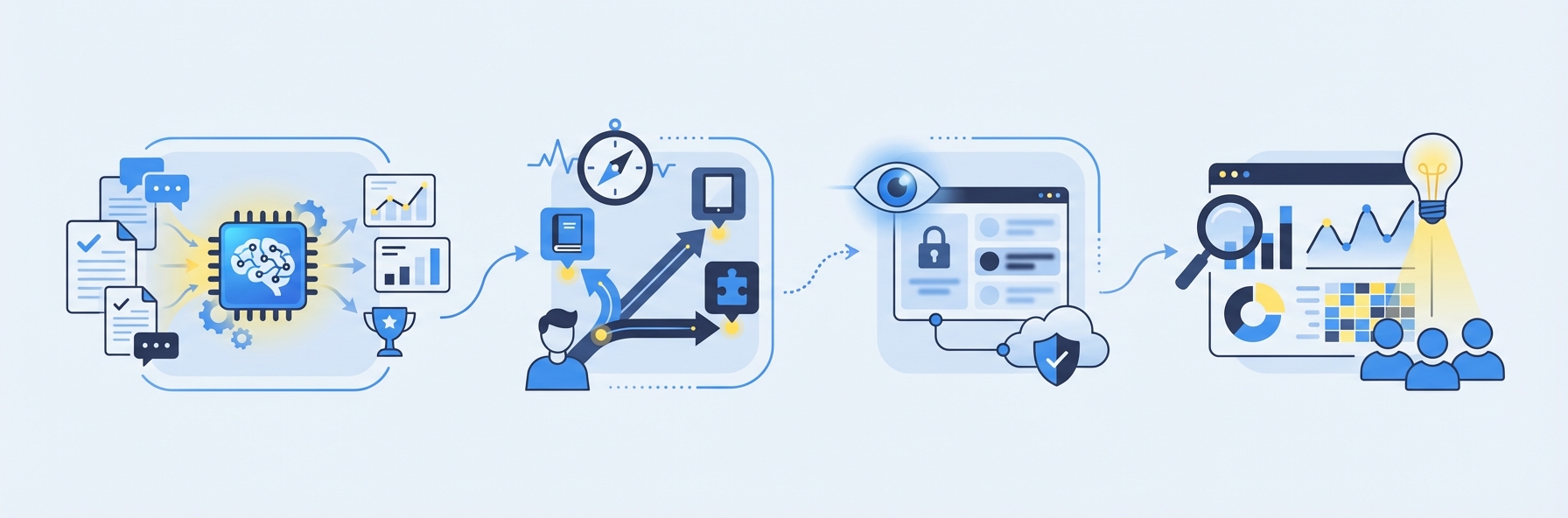
AI assessment tools serve different purposes within the assessment lifecycle. Understanding these categories prevents the common mistake of buying a tool optimized for one use case and trying to force it into another.
Formative Assessment Tools
Formative AI assessment tools are designed for ongoing, low-stakes evaluation during the learning process. Their primary purpose is to provide real-time feedback that helps students correct misconceptions and build understanding as they learn, not to assign final grades.
Characteristics:
- Instant scoring and feedback during or immediately after practice
- Focus on learning rather than ranking
- Often include hints, explanations, and suggested resources
- Support frequent, short assessments rather than infrequent, long exams
Examples: Quizizz, Formative (the platform), Khan Academy exercises, IntelGrader's worksheet grading for tutoring sessions.
Formative assessment is where AI assessment tools deliver their greatest pedagogical impact. Research from the Education Endowment Foundation consistently shows that formative assessment with timely feedback is one of the highest-leverage strategies for improving student outcomes.
Summative Assessment Tools
Summative AI assessment tools evaluate student learning at the end of a unit, course, or term. They are used for grading, reporting, and accountability rather than real-time learning support.
Characteristics:
- Higher stakes -- scores contribute to final grades or certifications
- Emphasis on reliability and validity of scores
- Often include proctoring or security features
- Results used for reporting to parents, administrators, or external bodies
Examples: ETS e-rater (GRE/TOEFL), Pearson's AI-powered assessment products, state testing platforms.
Diagnostic Assessment Tools
Diagnostic AI assessment tools identify specific knowledge gaps and learning needs, typically administered before instruction begins or when a student is struggling. They are distinct from formative tools in their focus on identification rather than ongoing feedback.
Characteristics:
- Pinpoint specific misconceptions or skill gaps
- Inform instructional planning and intervention
- Often adaptive -- question difficulty adjusts based on student responses
- Results mapped to specific standards or learning objectives
Examples: NWEA MAP Growth, Renaissance Star Assessments, DreamBox diagnostics.
Adaptive Assessment Tools
A subset of AI assessment tools that dynamically adjust the difficulty, content, and sequence of questions based on the student's responses in real time. Adaptive assessments are more efficient than fixed-form tests because they zero in on the student's ability level quickly, reducing testing time while improving measurement precision.
Characteristics:
- Questions get harder or easier based on performance
- More precise ability estimates with fewer questions
- Reduce test anxiety by avoiding questions that are too easy or too hard
- Require large, calibrated item banks
Examples: NWEA MAP, i-Ready, ALEKS.
Top 10 AI Assessment Tools Compared

The following comparison covers the most widely used AI assessment tools across different categories and educational contexts. Each tool is evaluated on its core capabilities, target audience, and practical strengths.
1. IntelGrader
Category: Formative assessment for handwritten math. What it does: AI-powered grading of handwritten math worksheets. Students complete worksheets on paper, photograph their work, and receive instant grading with detailed feedback. The AI reads handwritten digits and mathematical notation, follows multi-step working, and awards partial credit. Best for: Tutoring centers, math coaching institutes, and supplementary education providers who need to grade high volumes of handwritten worksheets quickly. Key differentiator: Purpose-built for the tutoring center workflow. Handles real student handwriting with high accuracy. Includes progress tracking dashboards for tutors and parents. Pricing: Custom; book a demo for details. Learn more: Tutoring software overview | How AI grades handwritten math
2. Gradescope
Category: Multi-format grading for higher education. What it does: AI-assisted grading for handwritten, typed, and code submissions. Uses AI to group similar answers, enabling graders to score one group at a time rather than evaluating each paper individually. Best for: Universities with large class sizes and diverse assignment types. Key differentiator: AI-assisted grouping dramatically speeds up grading for university-scale courses. Strong LMS integrations. Pricing: Institutional licensing through Turnitin. See also: IntelGrader vs. Gradescope
3. Turnitin
Category: Academic integrity and writing assessment. What it does: Plagiarism detection, AI writing detection, and automated writing feedback. Expanding into AI-powered scoring and feedback generation. Best for: Higher education institutions focused on academic integrity and writing quality. Key differentiator: Industry-leading originality database; AI writing detection for identifying LLM-generated content. Pricing: Institutional licensing.
4. Quizizz
Category: Formative assessment and gamified learning. What it does: Interactive quizzes with instant auto-grading, gamification elements, and student engagement analytics. Supports multiple question types including open-ended responses. Best for: K-12 teachers and tutoring centers looking for engaging formative assessment. Key differentiator: Gamification features (leaderboards, power-ups) increase student engagement. Large community-created question library. Pricing: Free tier available; premium plans from $19/month per teacher.
5. Edulastic
Category: Standards-aligned formative and summative assessment. What it does: Create, deliver, and auto-grade assessments aligned to state and national standards. Includes a large item bank and supports technology-enhanced question types. Best for: K-12 schools and districts focused on standards-based assessment and test preparation. Key differentiator: Deep standards alignment; ability to mirror the format and rigor of state assessments. Pricing: Free tier for basic features; enterprise pricing for districts.
6. Formative (GoFormative)
Category: Real-time formative assessment and student monitoring. What it does: Live assessment with real-time student response monitoring, auto-grading, and intervention triggers. Teachers can see student work as it happens and provide immediate support. Best for: Classroom teachers who want to monitor student understanding in real time during instruction. Key differentiator: Live student monitoring -- teachers see responses as students type them, enabling immediate intervention. Pricing: Free tier; premium from $12/month per teacher.
7. NWEA MAP Growth
Category: Adaptive diagnostic assessment. What it does: Computer-adaptive testing that measures student achievement and growth in reading, language use, math, and science. Questions adjust in difficulty based on student responses to provide precise ability estimates. Best for: K-12 schools and districts needing standardized growth measurement across large student populations. Key differentiator: Trusted normative data; widely used for measuring student growth over time. Pricing: Per-student district licensing.
8. Khan Academy with Khanmigo
Category: AI-powered tutoring and formative assessment. What it does: AI tutor (Khanmigo) powered by GPT-4 provides personalized guidance, hints, and explanations as students work through exercises. Auto-grades practice problems and tracks mastery. Best for: Students seeking free or low-cost self-paced learning with AI tutoring support. Key differentiator: Free for students; AI tutoring provides personalized support without human tutor availability. Pricing: Free for students; Khanmigo at $44/year.
9. CodeGrade
Category: Automated grading for programming assignments. What it does: Runs student code against test cases, evaluates code quality and style, provides automated feedback, and supports plagiarism detection for code. Best for: Computer science courses, coding bootcamps, and technical training programs. Key differentiator: Purpose-built for code; supports 50+ programming languages. Pricing: Per-student licensing; free tier for small courses.
10. Crowdmark
Category: Collaborative assessment for higher education. What it does: Digitizes student work (handwritten or typed) for online grading. Supports collaborative marking by multiple graders. Provides assessment analytics. Best for: University courses with large enrollments and multiple teaching assistants. Key differentiator: Collaborative grading workflow designed for large teaching teams. Pricing: Per-student institutional licensing.
Feature Evaluation Checklist

When evaluating AI assessment tools, use this checklist to ensure you are comparing platforms on the dimensions that matter most for your specific needs.
Grading Capabilities
- Supports the question types you use (multiple choice, short answer, handwritten math, essay, code)
- Handles handwritten student work via OCR (if applicable)
- Awards partial credit based on working, not just final answers
- Generates specific, actionable feedback per question
- Allows custom rubrics and marking criteria
- Supports multiple correct answers or alternative methods
Analytics and Reporting
- Provides individual student progress tracking over time
- Aggregates data across classes, subjects, and time periods
- Identifies specific knowledge gaps and recurring errors
- Generates reports suitable for sharing with parents
- Supports standards alignment in reporting (if applicable)
- Exports data for external analysis
Usability and Workflow
- Time to set up a new worksheet or assessment (under 5 minutes is ideal)
- Time to grade a single submission (under 30 seconds is expected)
- Works with your existing worksheets and materials (no proprietary format required)
- Mobile-friendly for student submissions (phone photo upload)
- Intuitive interface that does not require extensive training
- Bulk upload and batch processing for high-volume grading
Integration and Compatibility
- Integrates with your existing LMS or management software
- Supports single sign-on (SSO) for institutional deployment
- API available for custom integrations
- Works across operating systems and devices
- Data export in standard formats (CSV, PDF)
Security and Privacy
- Compliant with relevant data privacy regulations (FERPA, COPPA, GDPR)
- Clear data retention and deletion policies
- Student work not used to train commercial AI models without consent
- Secure data transmission and storage
- Transparent about AI model and training data
Pricing and Support
- Pricing model aligns with your scale (per-student, per-teacher, flat rate)
- Free trial or pilot available before commitment
- Responsive customer support (email, chat, phone)
- Onboarding and training resources provided
- Clear contract terms and cancellation policy
Pricing Models for AI Assessment Tools
AI assessment tools use several pricing models. Understanding these helps you compare total cost of ownership rather than just sticker price.
Per-Student Pricing
You pay based on the number of active students. This model aligns cost with usage and scales predictably. Common among K-12 and diagnostic assessment tools.
Typical range: $2-15 per student per year. Watch out for: Minimum student commitments; charges for inactive students.
Per-Teacher or Per-Seat Pricing
You pay based on the number of educator accounts. This model is common for formative assessment tools where teacher usage drives value.
Typical range: $10-50 per teacher per month. Watch out for: Limits on the number of students per teacher account.
Institutional or District Licensing
A flat annual fee for unlimited usage across the institution. Common for enterprise-scale tools and diagnostic platforms.
Typical range: $1,000-50,000+ per year depending on institution size. Watch out for: Multi-year commitments; limited customization in lower tiers.
Usage-Based Pricing
You pay based on the number of assessments graded or submissions processed. This model is less common but appears in some specialized tools.
Typical range: Varies widely. Watch out for: Unpredictable costs if usage spikes; may discourage frequent assessment.
Freemium
A free tier with limited features, and paid tiers for advanced capabilities. Common among newer tools building market share.
Watch out for: Feature limitations in free tier may be frustrating; lock-in risk if you build workflows around a free tool that later changes pricing.
Custom Pricing (Book a Demo)
Some platforms, including IntelGrader, offer custom pricing based on your specific needs, volume, and workflow. This is common for specialized tools serving niche markets where a one-size-fits-all price would not make sense.
Advantage: Pricing matched to your actual usage and needs. Process: Typically involves a demo, needs assessment, and custom proposal. Book a demo to start the conversation.
How to Evaluate AI Assessment Tools: A Framework
Beyond the feature checklist, here is a structured framework for evaluating and selecting the right AI assessment tools for your institution.
Step 1: Define Your Assessment Philosophy
Before evaluating tools, clarify what you believe about assessment:
- Is your primary goal formative (improving learning) or summative (measuring achievement)?
- How important is handwritten work versus digital input?
- Do you prioritize speed, accuracy, feedback quality, or analytics?
- What role should AI play -- full automation or human-in-the-loop?
Your answers will naturally filter the tool landscape.
Step 2: Map Your Current Workflow
Document your existing assessment process end-to-end: creation, distribution, completion, collection, grading, feedback delivery, and data tracking. Identify the biggest bottlenecks and pain points. The right tool should address your most significant pain points, not just add capabilities you do not need.
Step 3: Test with Real Student Work
Never select a tool based solely on demos with clean, ideal examples. Request a trial and submit real student work -- including the messiest handwriting, the most ambiguous responses, and the edge cases that give your human graders trouble. Evaluate accuracy, feedback quality, and handling of non-standard inputs.
Step 4: Evaluate the Total Cost of Ownership
Beyond the subscription price, consider:
- Setup and configuration time
- Training time for educators
- Ongoing administration and maintenance
- Integration costs with existing systems
- Opportunity cost of the learning curve
Step 5: Check References and Reviews
Talk to institutions similar to yours that are already using the tool. Ask about:
- Accuracy in their specific context
- Customer support responsiveness
- Whether the tool delivers on its marketing promises
- Unexpected challenges or limitations they encountered
Step 6: Plan for Change Management
The biggest risk in adopting AI assessment tools is not the technology -- it is the people. Educators who feel threatened by automation, or who were not consulted in the selection process, may resist adoption. Involve your team early, address concerns transparently, and frame the technology as a tool that enhances their role rather than replacing it.
Implementation Tips for Tutoring Centers
Tutoring centers have unique needs that differ from schools and universities. Here are implementation tips specific to the tutoring context.
Start with Your Highest-Volume Assessment Type
Most tutoring centers grade math worksheets more than any other assessment type. Starting with automated math grading delivers the fastest ROI and the most immediate time savings. Platforms like IntelGrader are designed specifically for this use case, handling the handwritten math worksheets that tutoring centers use daily.
Leverage Progress Tracking for Parent Communication
Parents are the paying customers in tutoring. AI assessment tools that provide clear, data-driven progress reports give you a tangible way to demonstrate value. Share student progress dashboards during parent conferences and in regular email updates.
Use Analytics to Inform Group Instruction
When the AI grades hundreds of worksheets, it generates data on which concepts students struggle with across the entire center. Use this aggregate data to inform group instruction decisions: if 60 percent of students are making the same type of error in fraction operations, that topic deserves a dedicated review session.
Maintain Human Oversight for Edge Cases
Even the best AI assessment tools encounter edge cases: illegible handwriting, unusual problem formats, or creative solutions the system was not trained on. Establish a clear workflow for reviewing and overriding AI grades when necessary. This maintains quality while still capturing the time savings for the vast majority of straightforward grading.
Integrate with Your Center Management Software
The most effective implementations connect the AI assessment tool with the center's broader management software -- scheduling, billing, student records, and parent communication. This integration creates a seamless workflow where assessment data flows automatically into progress reports and parent updates. Explore how IntelGrader's tutoring software fits into this integrated approach.
Frequently Asked Questions
What is the difference between AI assessment tools and traditional online quizzes?
Traditional online quiz platforms (like Google Forms) can auto-grade multiple-choice questions by comparing student selections to an answer key, but they cannot evaluate open-ended responses, read handwritten work, or provide detailed feedback on methodology and reasoning. AI assessment tools use machine learning, natural language processing, and computer vision to grade a much wider range of student work, including handwritten math, short-answer responses, and essays. They also generate specific, actionable feedback and track progress over time in ways that simple quiz platforms cannot.
How do AI assessment tools handle cheating and academic integrity?
Different tools address integrity in different ways. Proctoring tools use AI to monitor students during online exams (tracking eye movement, screen activity, and browser focus). Plagiarism detectors like Turnitin compare submissions against databases of existing content. For in-person assessments at tutoring centers, where students complete worksheets on paper under supervision, cheating is less of a concern -- the AI simply grades the physical work the student produces. The key is matching your integrity measures to your assessment context.
Are AI assessment tools accurate enough for high-stakes decisions?
For low-stakes formative assessment -- practice worksheets, homework, in-session exercises -- modern AI assessment tools are more than accurate enough, and the speed and feedback benefits far outweigh the small error rate. For high-stakes decisions (final grades, placement, certifications), best practice is a hybrid approach where the AI provides an initial score and human reviewers check borderline or flagged cases. This hybrid model is already standard in major standardized testing programs.
How much time does automated grading actually save?
The time savings depend on your current grading volume and the type of assessments you grade. As a benchmark, a tutoring center grading 300 handwritten math worksheets per week typically spends 15 to 25 hours on manual grading. With AI assessment tools, the grading itself takes minutes, and the human review of flagged cases might add one to two hours per week. That is a net savings of 13 to 23 hours per week -- time that tutors can redirect to instruction, lesson planning, and student interaction.
Can AI assessment tools work with the worksheets we already use?
The best AI assessment tools are designed to work with your existing materials rather than requiring proprietary formats. IntelGrader, for example, accepts standard printed worksheets that students complete on paper. You upload the worksheet once, define the answer key, and the system grades student submissions against that template. There is no need to recreate your curriculum in a new format or purchase proprietary worksheet packs.
Sources
Education Endowment Foundation. (2021). Teaching and Learning Toolkit: Feedback. A meta-analysis of evidence on the impact of feedback on student learning outcomes, finding high-quality feedback adds up to eight months of additional progress. https://educationendowmentfoundation.org.uk/education-evidence/teaching-learning-toolkit/feedback
Pellegrino, J. W., Chudowsky, N., & Glaser, R. (Eds.). (2001). Knowing What Students Know: The Science and Design of Educational Assessment. National Academies Press. The foundational text on modern assessment design and the role of technology in educational evaluation.
Luckin, R., et al. (2016). Intelligence Unleashed: An Argument for AI as a Tool for Assessment. Pearson. A white paper examining the potential and limitations of AI in educational assessment, including practical implementation guidance.
Baker, R. S. (2019). "Challenges for the Future of Educational Data Mining." Journal of Educational Data Mining, 11(1), 1-17. Discussion of challenges in applying AI to educational assessment, including fairness, transparency, and validity concerns.
OECD. (2023). Digital Education Outlook 2023: Towards an Effective Digital Education Ecosystem. OECD Publishing. International analysis of digital assessment trends, including AI-powered tools and their adoption across education systems.
Related IntelGrader resources
- automated grading guide
- Gradescope alternative
- GradeLab alternative
- CoGrader alternative
- Turnitin alternative for grading
Related IntelGrader resources
Ready to transform your grading?
See how IntelGrader can save your tutoring centre 10+ hours per week with AI-powered grading.